
BusinessLOG Server
Log Management Suite for information security and compliance with GDPR, ISO 27001, NIS2 and the Privacy Guarantor's regulations for System Administrators and CSIRT.
Monitors and records corporate IT logs, facilitating regulatory compliance. It offers analysis, audits, advanced reporting, real-time monitoring, cloud backup and centralized management, improving transparency and data protection.
COMPLIANCE AND SECURITY
Thanks to BusinessLOG, everything is under control.
Hosts and services control
A Log Management suite allows you to monitor your enterprise infrastructure and notice any unusual behavior that might prove to be indications of danger.Analytics and reporting
BusinessLOG provides comprehensive visibility into IT activities, helping to identify trends, anomalies, and make informed security management decisions.Secured log collection
A Log Management Suite makes it possible to never lose any logs, even following hardware or software failures, and to trace back the critical issues that generated the event.Regulatory compliance
Facilitates compliance with GDPR, ISO 27001 and NIS2 regulations and ensures that log management activities comply with data protection laws.
Discover the main functions of
BusinessLOG
Activity on files and folders
Monitor critical paths and activity on files/folders: opens, edits, deletions, and denied access, with centralized logs and alerts by user, device, and frequency.
Critical paths selected and managed by the user
Logs for open, edit, rename, delete
Notifications and reports by user/device
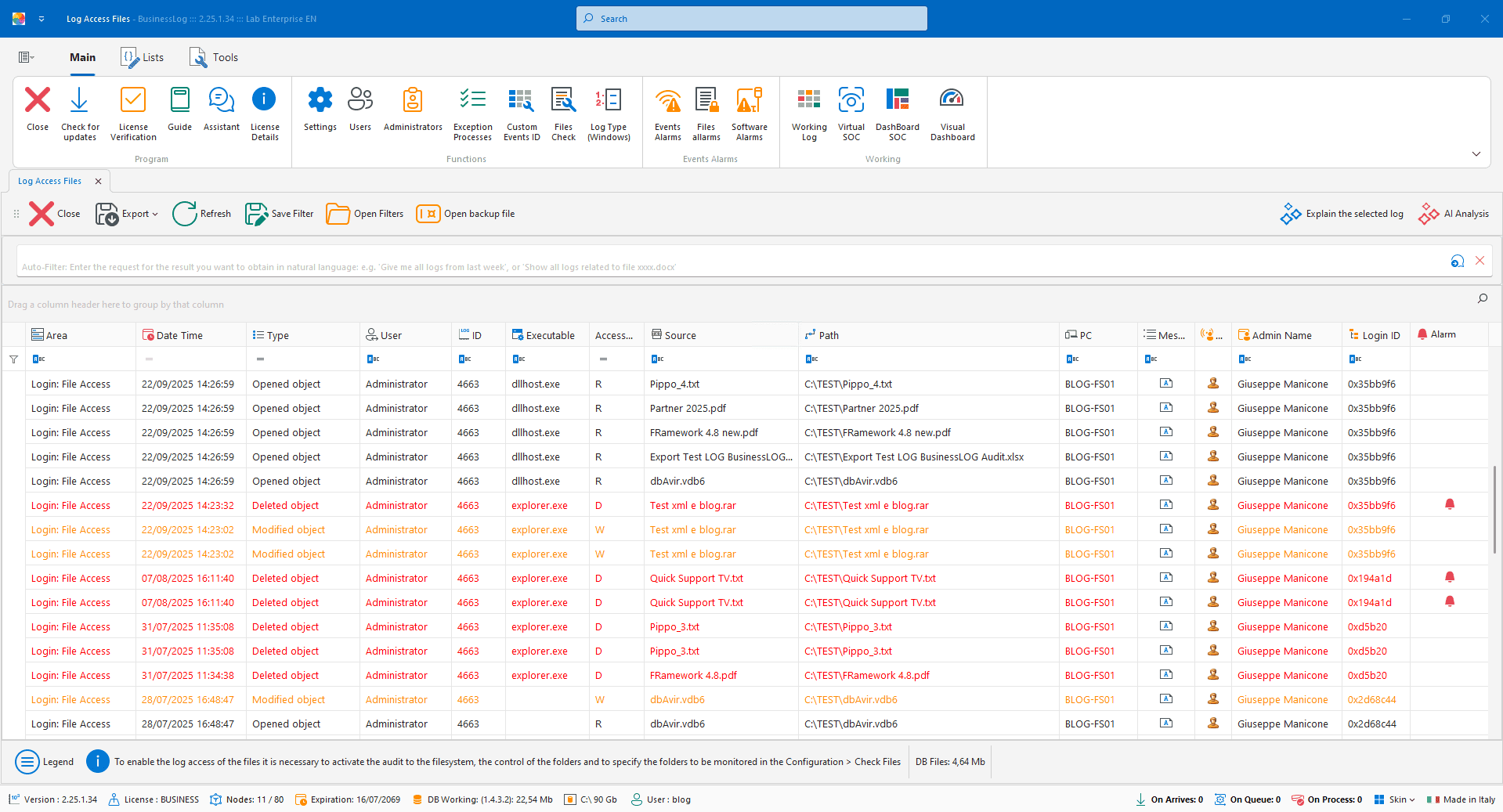
File Operations Alarms
Monitor selected paths and file/folder activities: reads, modifications, deletions and denied accesses, with notifications and aggregations per user, device and frequency.
Observation of user-defined paths
Read, modify, delete, denied access logs
Notifications and reports per user/device
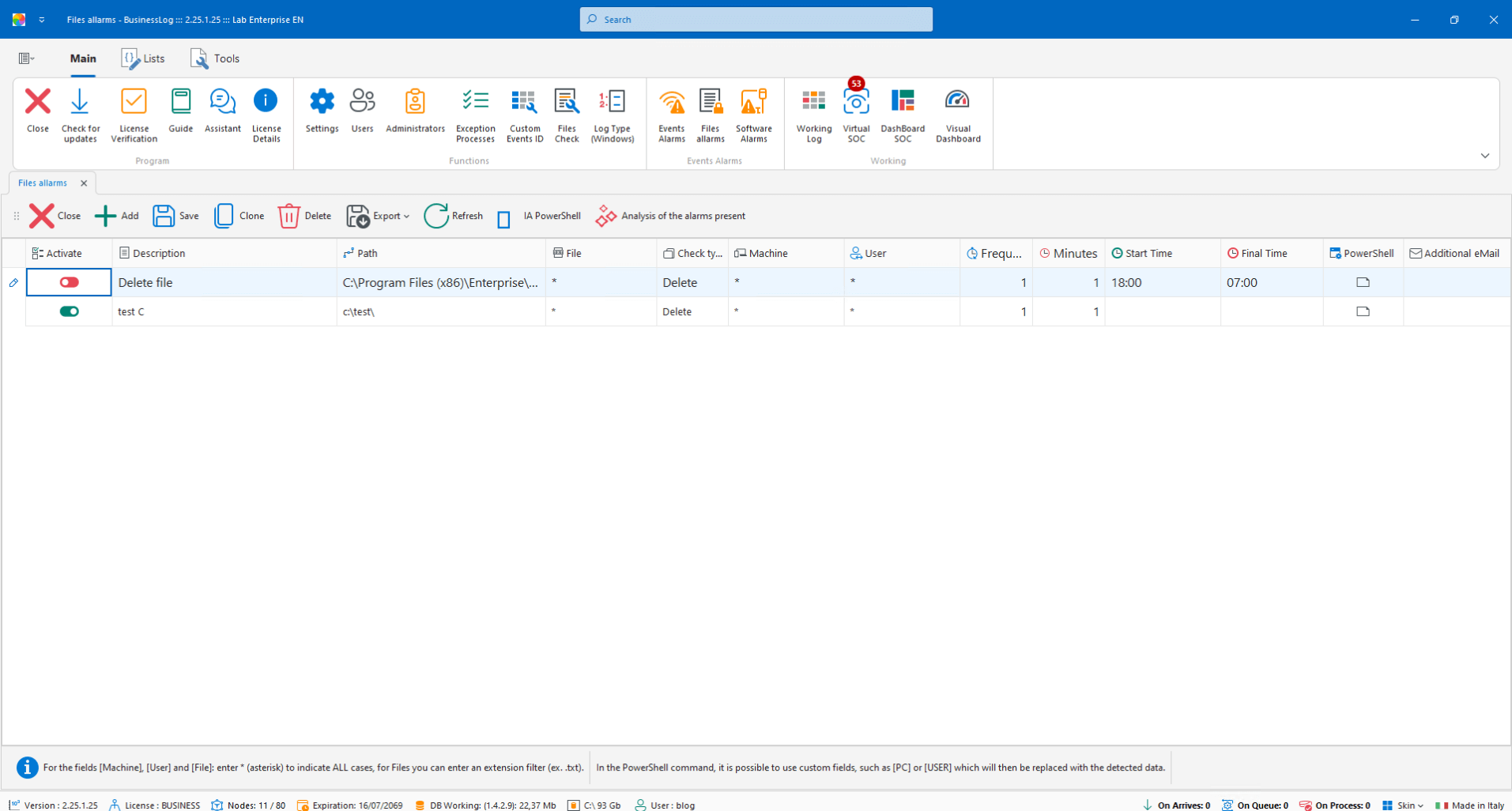
Event Alerts with PowerShell
Reactive automation: when a selected event occurs, BusinessLOG uses an AI engine to generate and execute PowerShell commands in real time, following the rules set by the user.
PowerShell commands generated by AI
Real-time execution on selected events
Configurable rules and conditions
Request a quote now
Request a BusinessLOG quote parameterized to your organization's actual needs.
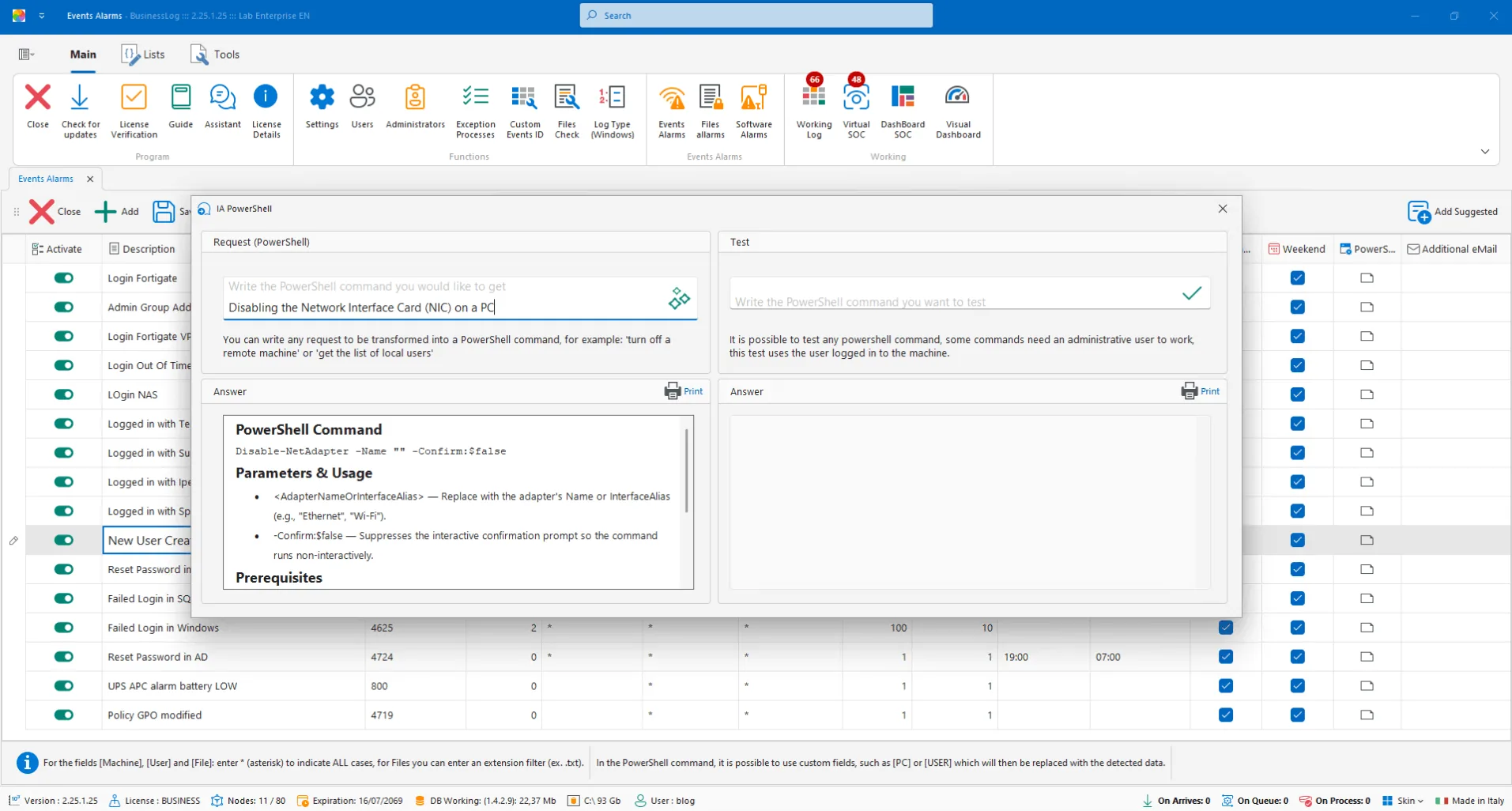
Security Events Alarms
Select security events already present in the system and configure alarms via email, Telegram or PowerShell commands generated by AI. Filter by device, users and frequency.
Pre-mapped security event catalog
Email/Telegram notifications + PowerShell AI
Filter by device, users and frequency
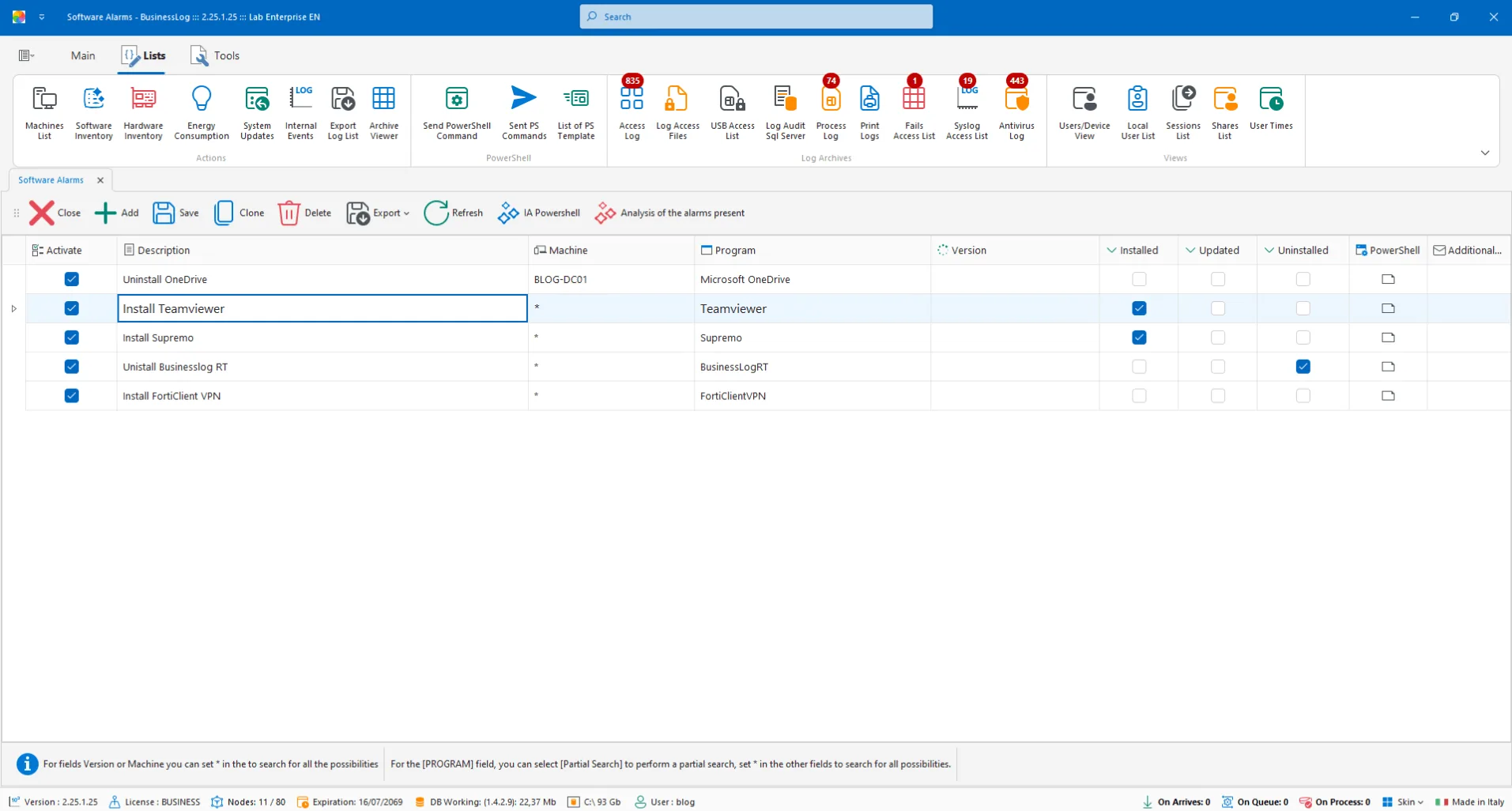
Software Alarms
Automatic software inventory and alerts when a program is installed, removed, or updated, with linked commands and notifications.
Software install/remove/update detection
Alarms and automations when versions change
Configurable notifications
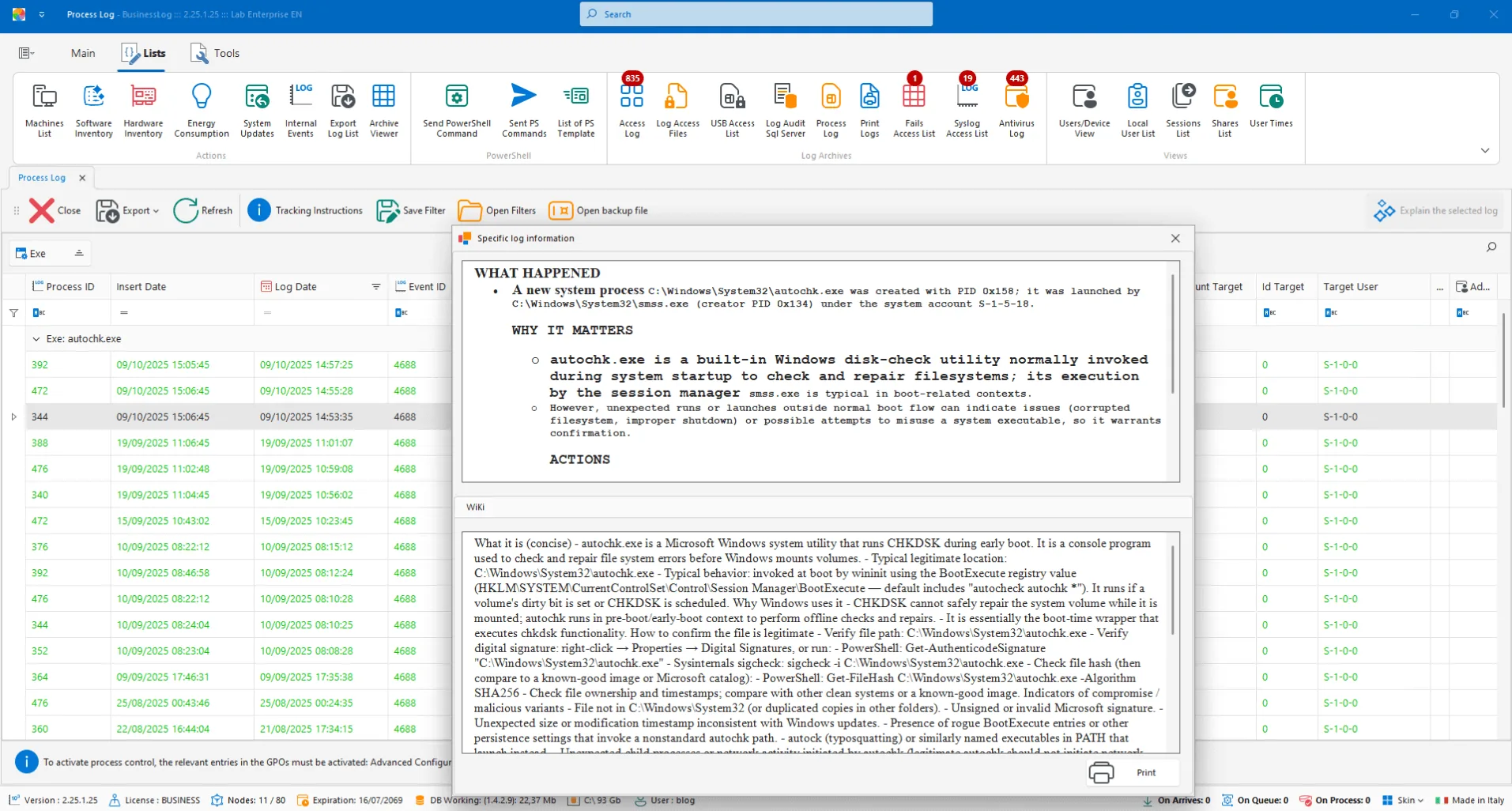
Process Analysis
Send the process event to AI for clear and contextualized insight, useful for understanding behavior and impact.
AI analysis of individual process events
Technical explanations in clear language
Immediate operational context
Request a quote now
Request a BusinessLOG quote parameterized to your organization's actual needs.
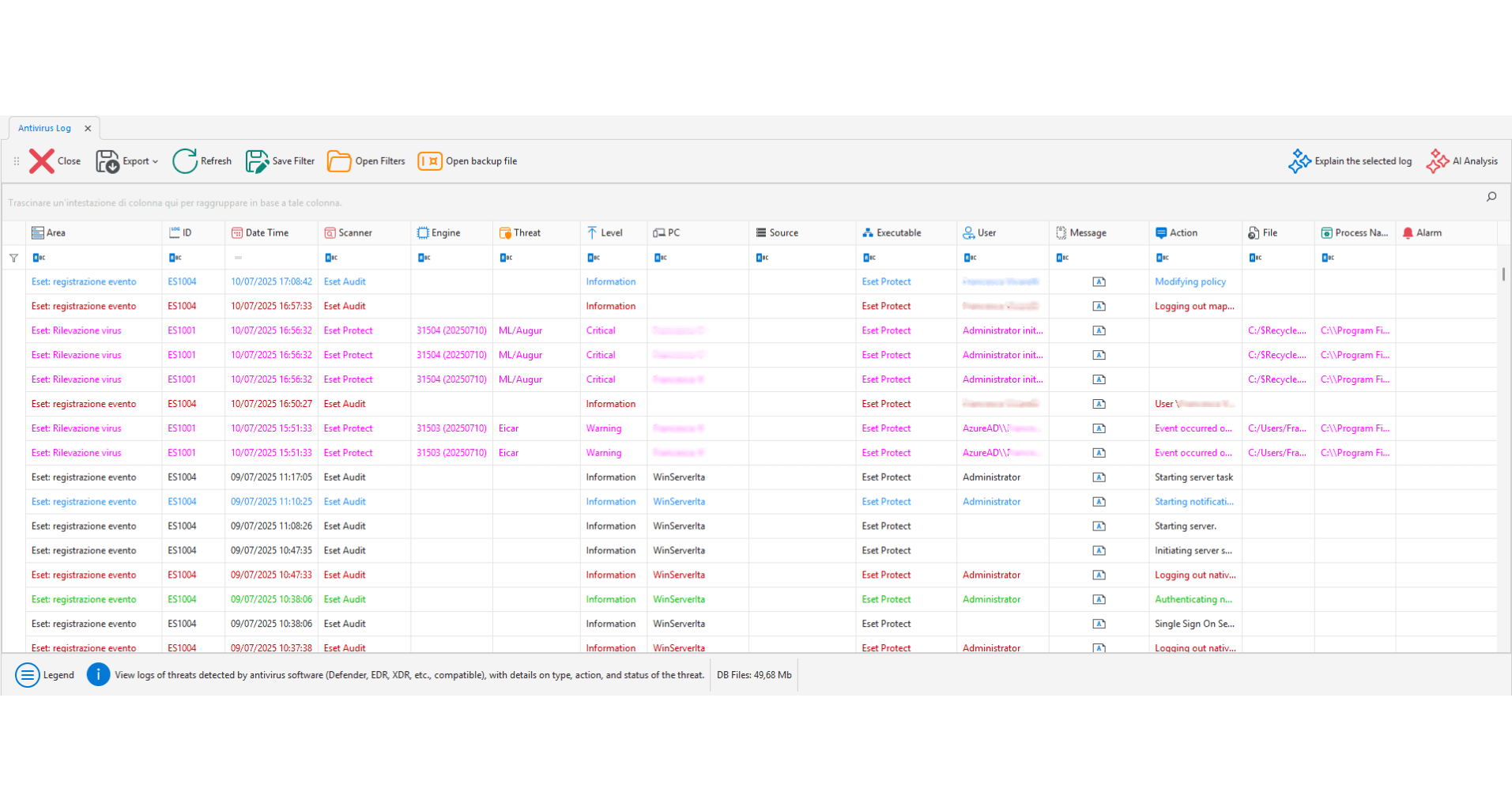
EDR/XDR/Antivirus Audit
Collects events from EDR, XDR, and other endpoint protection systems: threats, remediation, updates. Everything is logged, versioned, and correlated by the AI engine.
Integration with EDR/XDR/AV
Threats and corrective actions tracked
Logging and AI correlation
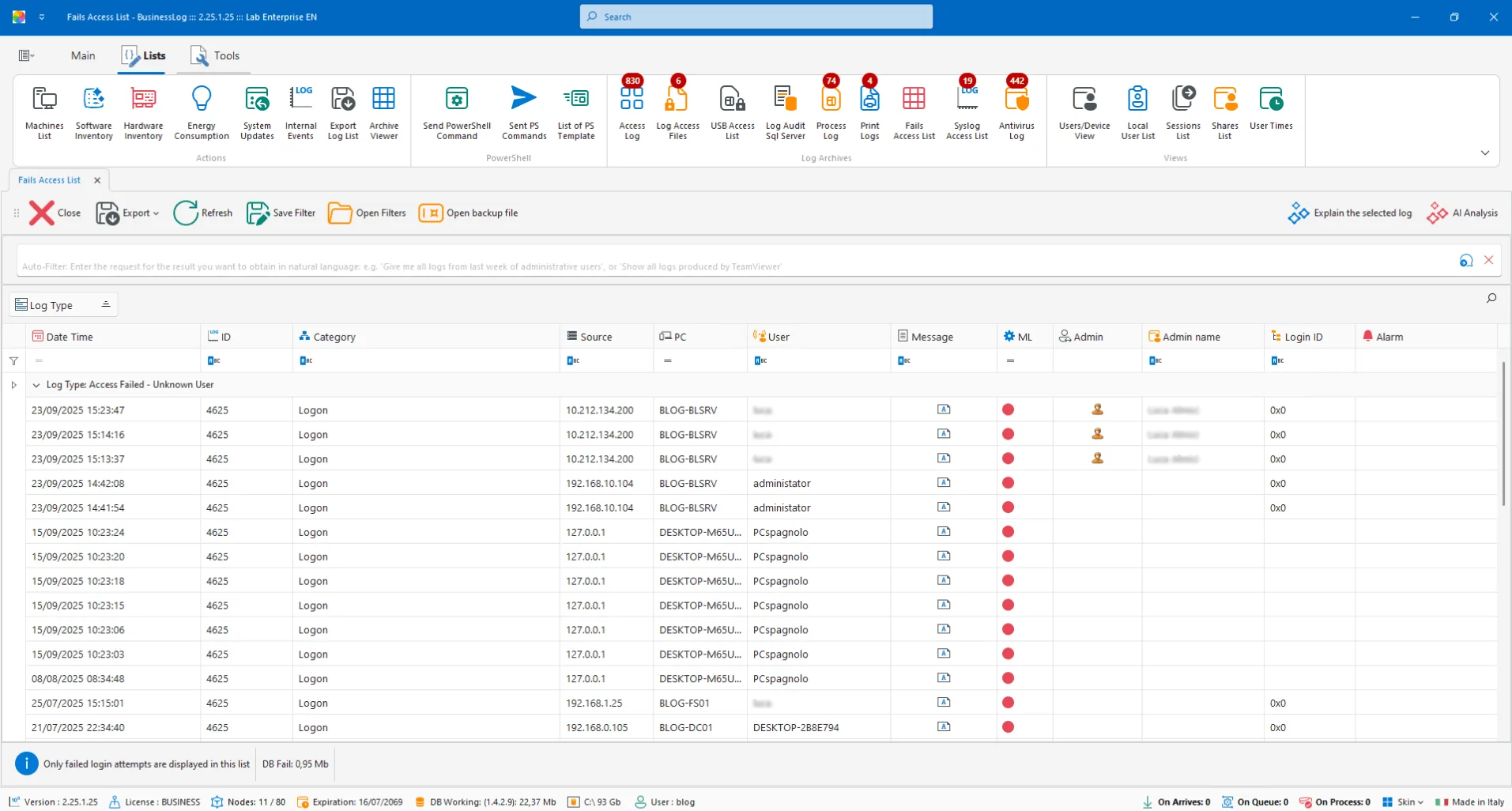
Audit Fail (Failed Access)
View dedicated to all FAIL accesses. AI proposes an in-depth analysis and actions to reduce the recurrence of the error.
Centralized list of failed attempts
AI analysis of the failed operation
Operational mitigation suggestions
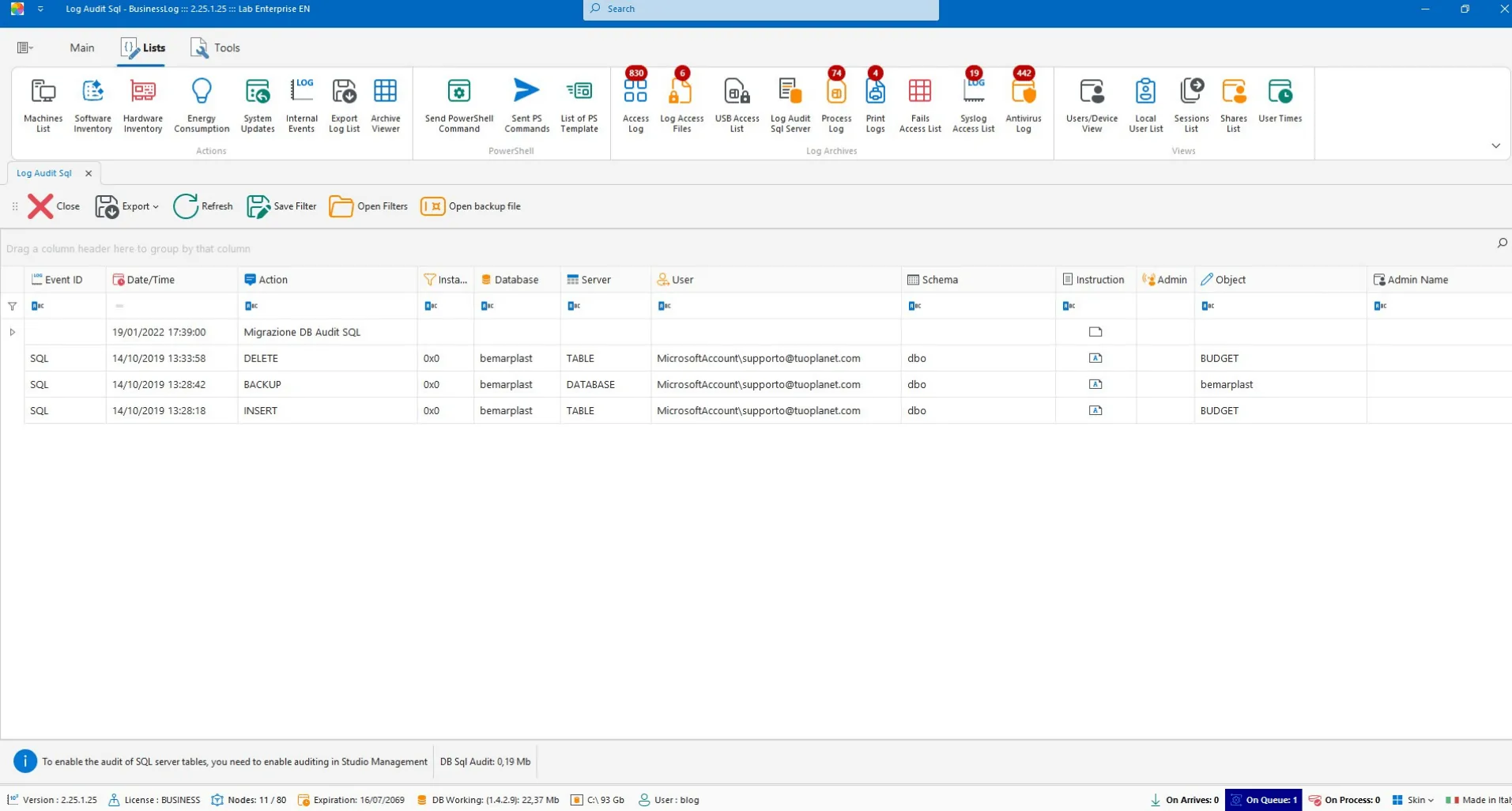
SQL Audit
Collection of logs from databases for visibility and traceability of relevant SQL events.
Log ingestion from supported databases
Event and anomaly traceability
Searchable history
Request a quote now
Request a BusinessLOG quote parameterized to your organization's actual needs.
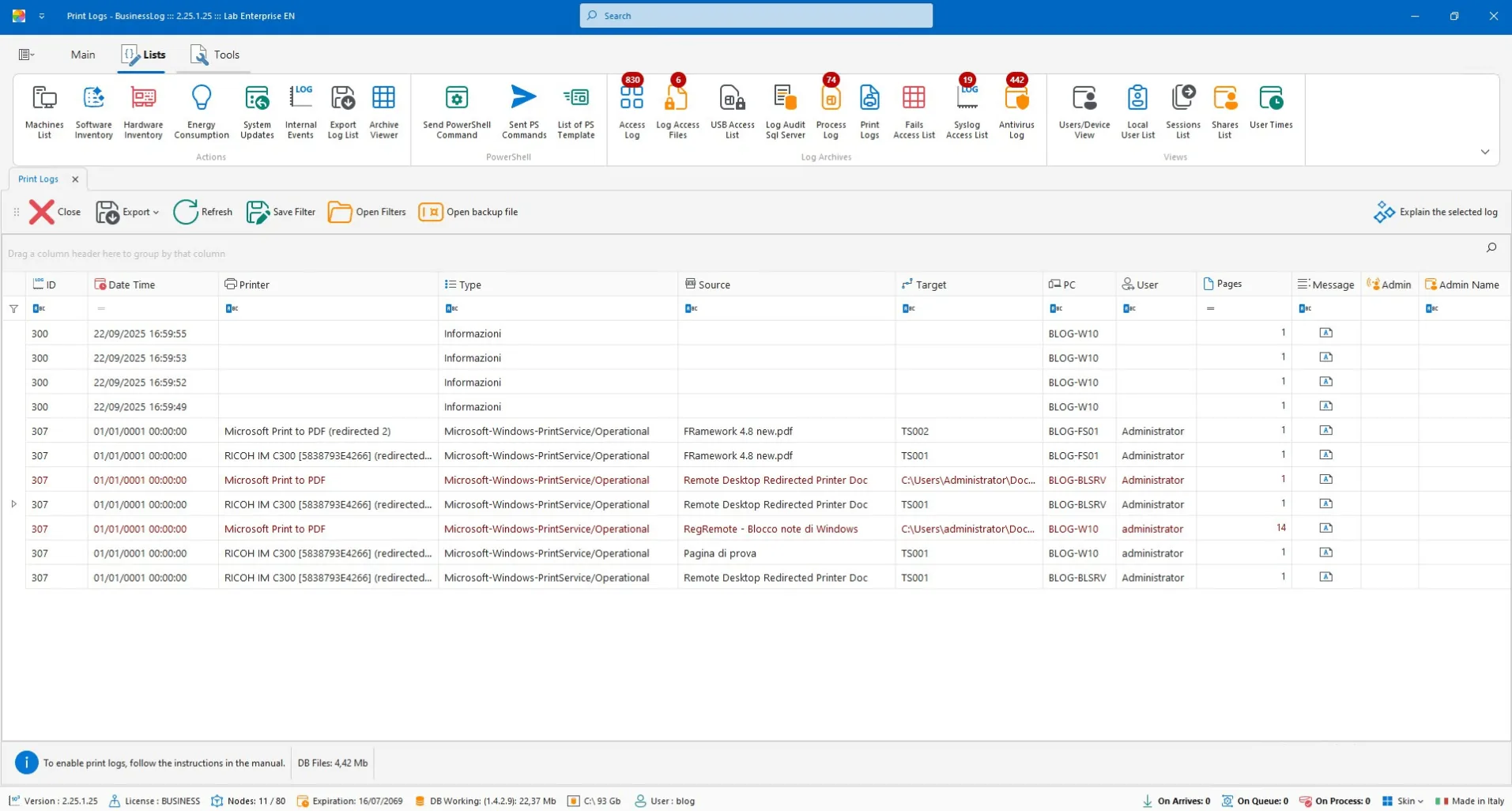
Print Audit
View all prints, including file prints and PDF conversions, for control and traceability.
Complete print log
Includes file/PDF saves
Quick checks and audits
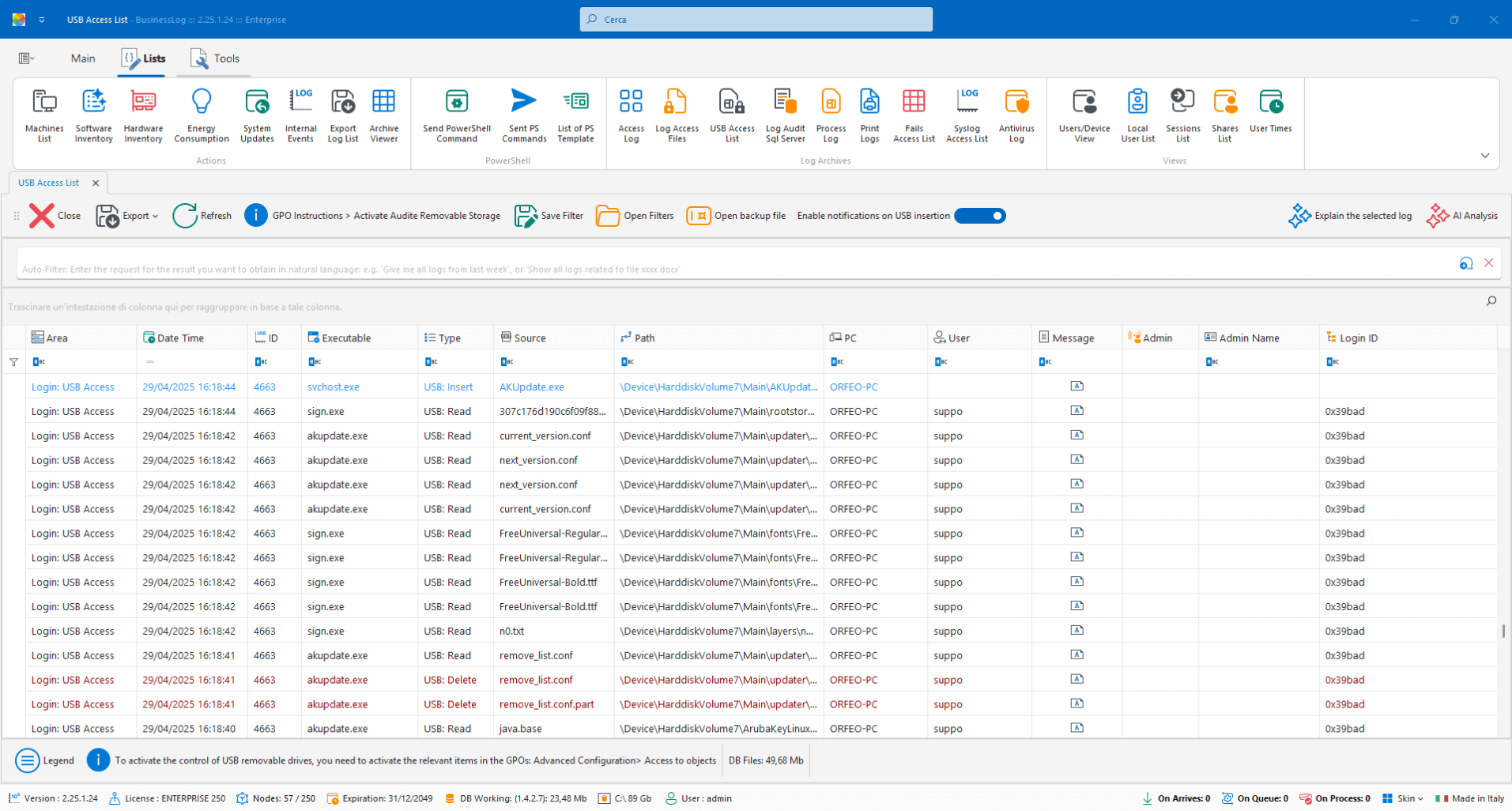
USB Audit
Lists all accesses to removable devices (USB, external HDDs, SD, etc.) and allows alerts on insertion.
Detection of accesses to removable media
Alert on device insertion
Traceability by user and machine
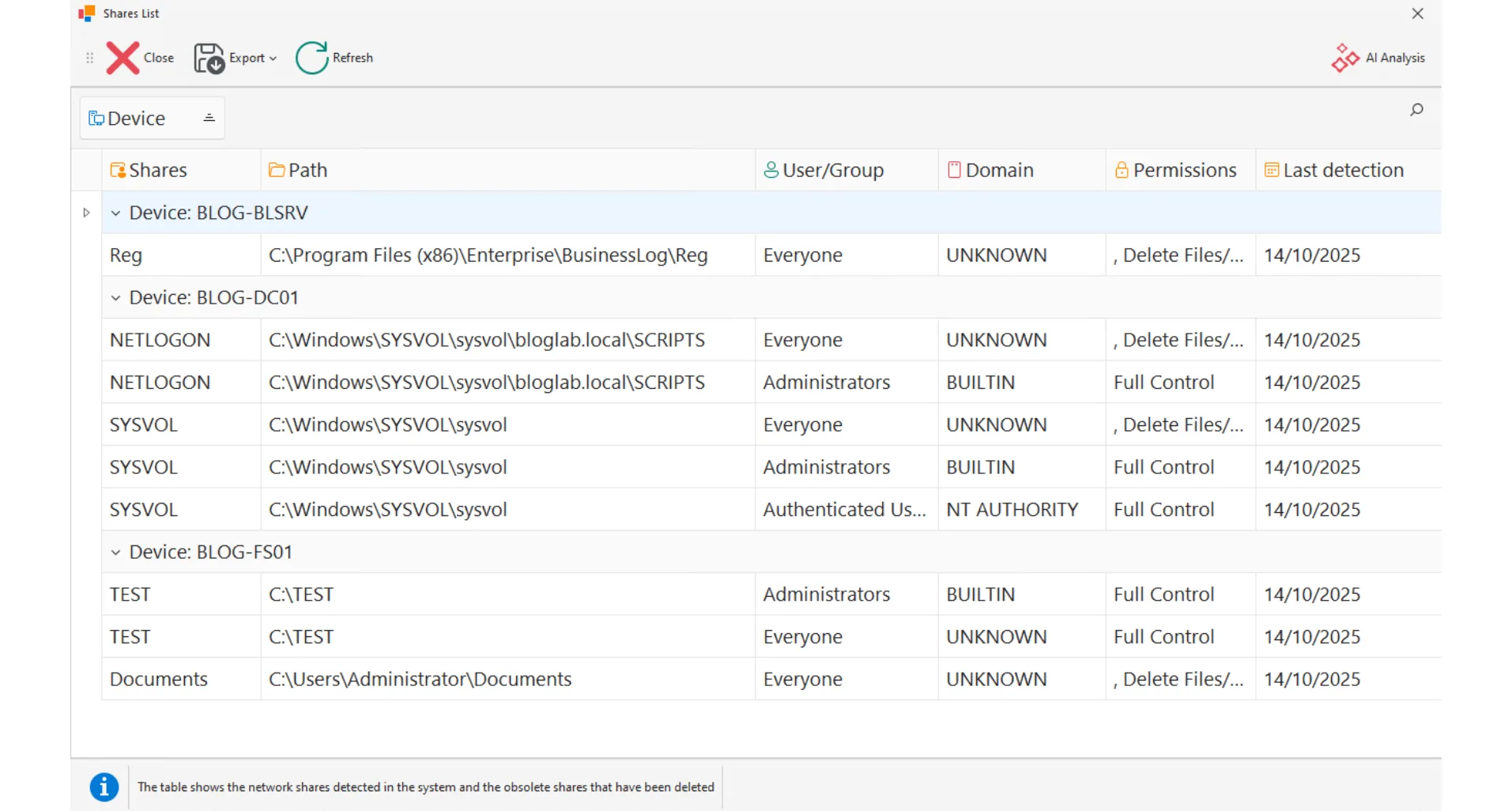
Shares
Global view of shared folders by machine, with permission level (read, write, full control).
Centralized map of shares
Details of actual permissions
Control by host
Request a quote now
Request a BusinessLOG quote parameterized to your organization's actual needs.
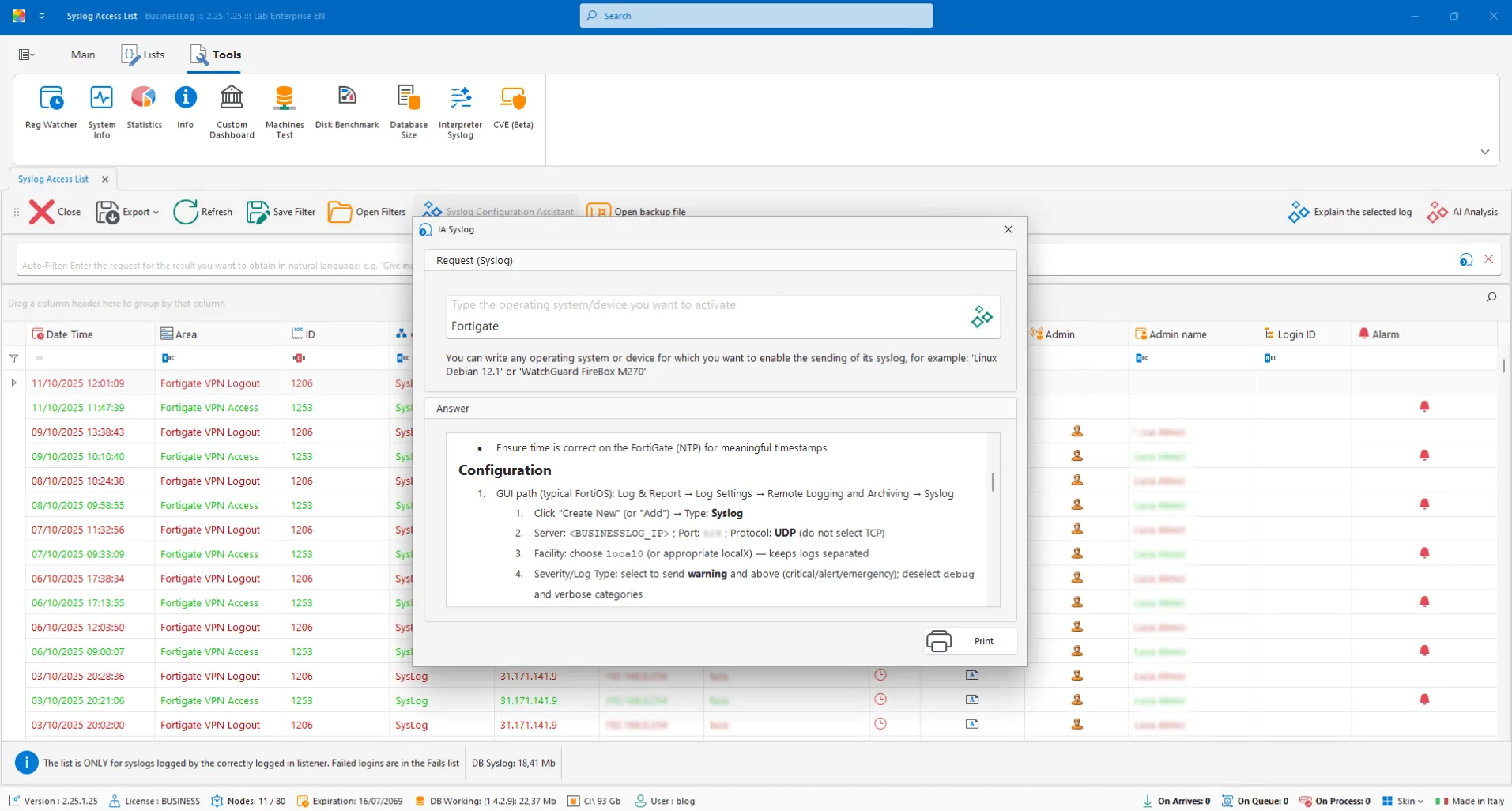
Syslog configuration with AI
Enter brand, model, and version: AI generates a printable document with instructions for activating the syslog client on the compatible device.
Step-by-step guide generated by AI
Printable output for the technician
Parameters by brand/model/version
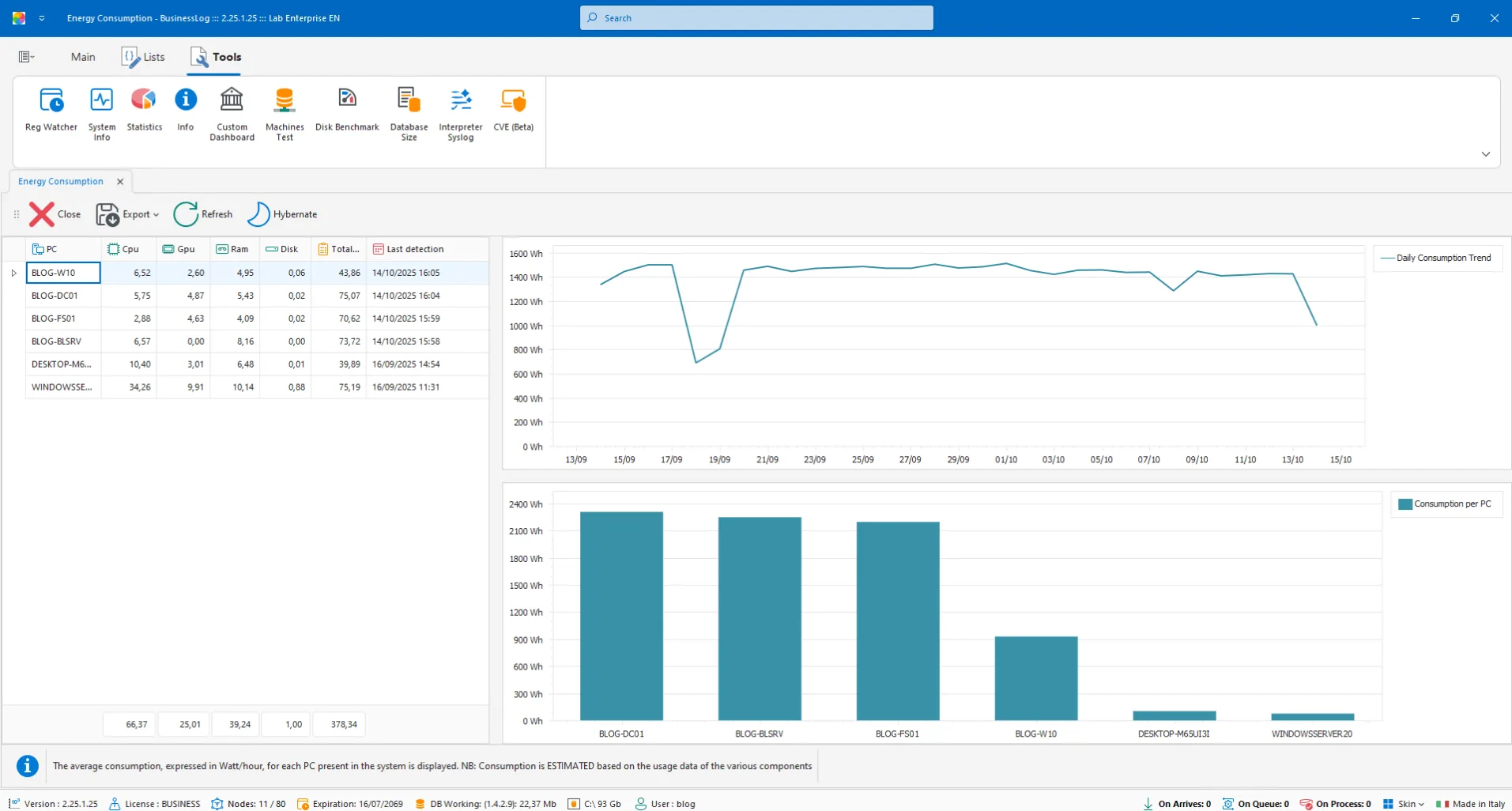
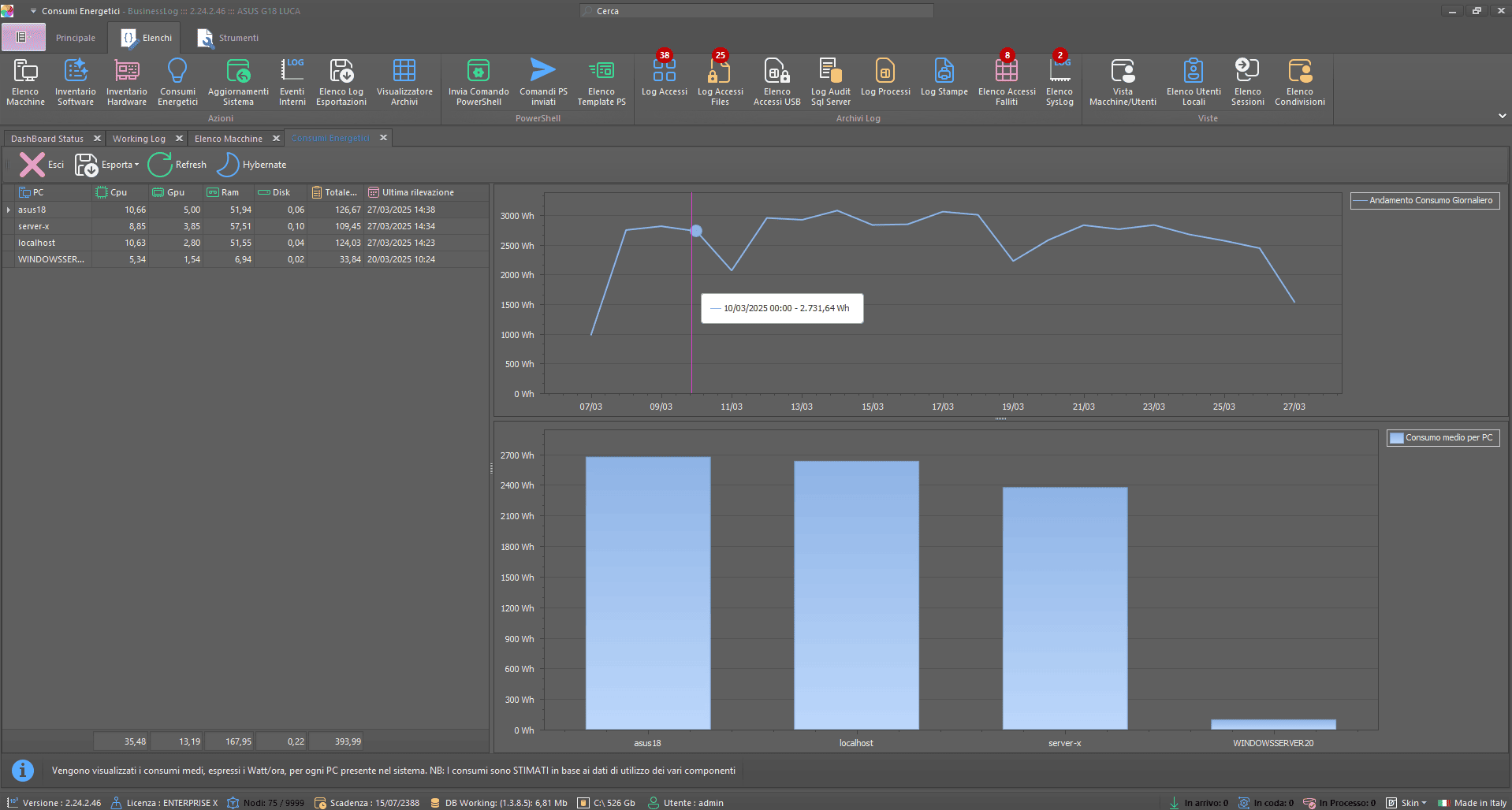
Energy Consumption
Monitor consumption per machine, with overall time graph and average per host for operational assessments.
Consumption per individual device
Historical graph over time
Average per machine at a glance
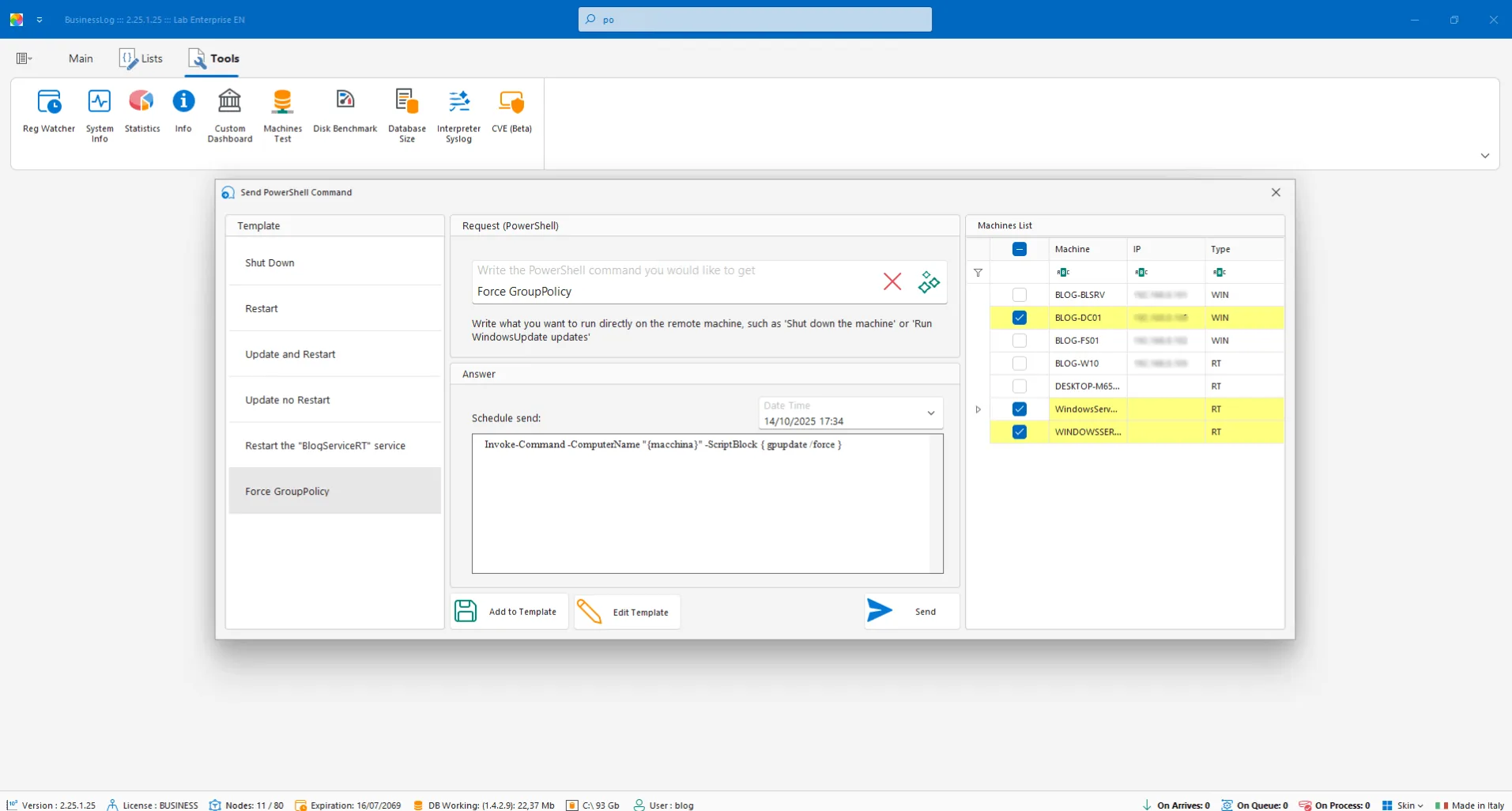
Device Control with PowerShell
Programmable PowerShell sets: use ready-made commands or create new ones with the help of AI. Schedule and assign to one or more hosts.
Library of ready-to-use commands
AI-assisted creation
Scheduling and targeting by host
Request a quote now
Request a BusinessLOG quote parameterized to your organization's actual needs.
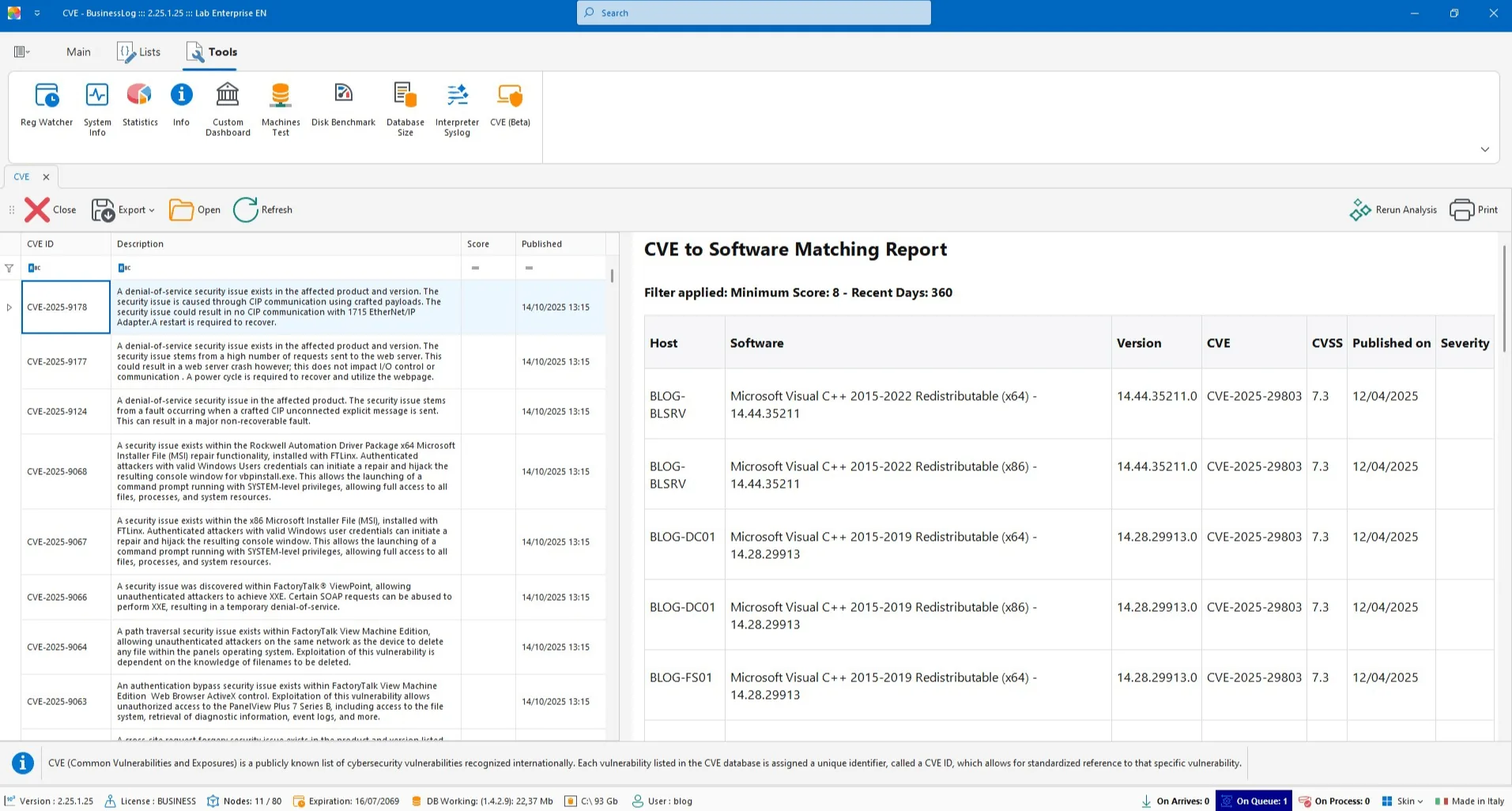
CVE Software
CVE list updated hourly by NIST. AI generates a report based on matches with software installed on networked machines.
Hourly CVE feed from NIST
Matches with detected software
AI report on priorities
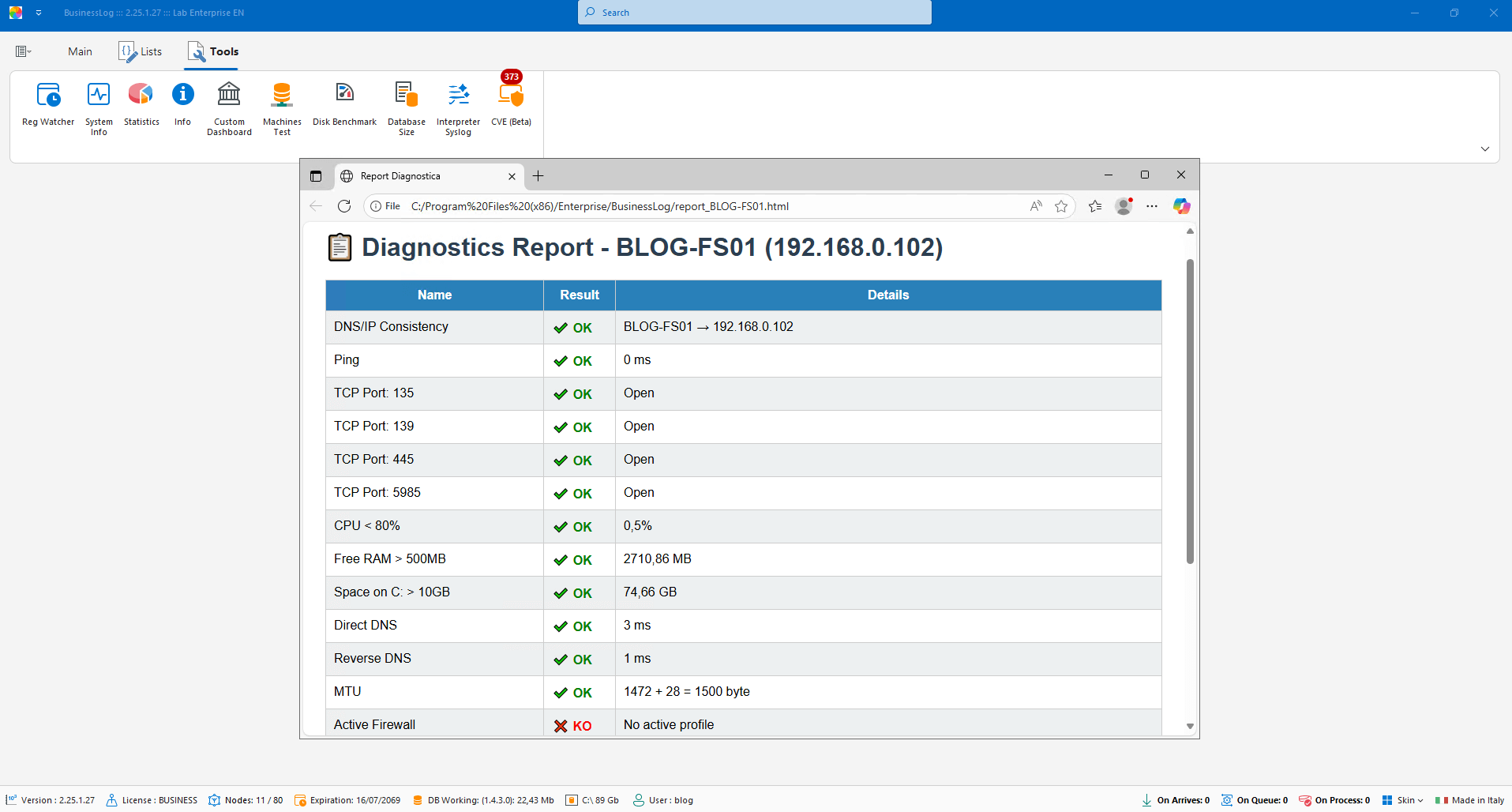
On-Demand Device Diagnostics
Performs diagnostics between server and client, highlighting communication issues and estimating log reading speed.
Check server-client connectivity
Estimate log reading speed
Highlight critical issues
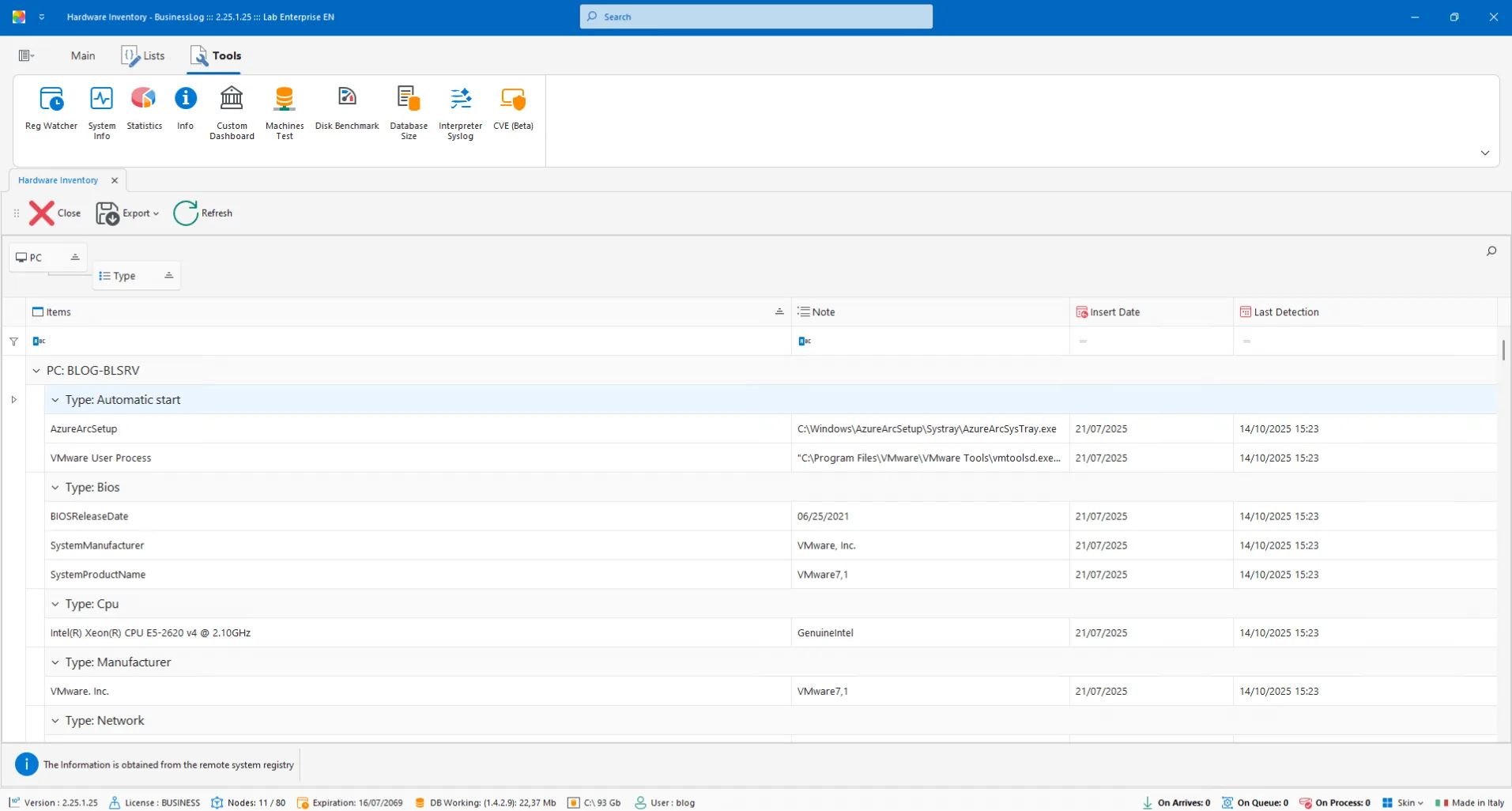
Hardware Inventory
Hardware inventory with item/value details and latest detection for each machine.
List of detected hardware components
Updated values and status
Last scan timestamp
Request a quote now
Request a BusinessLOG quote parameterized to your organization's actual needs.
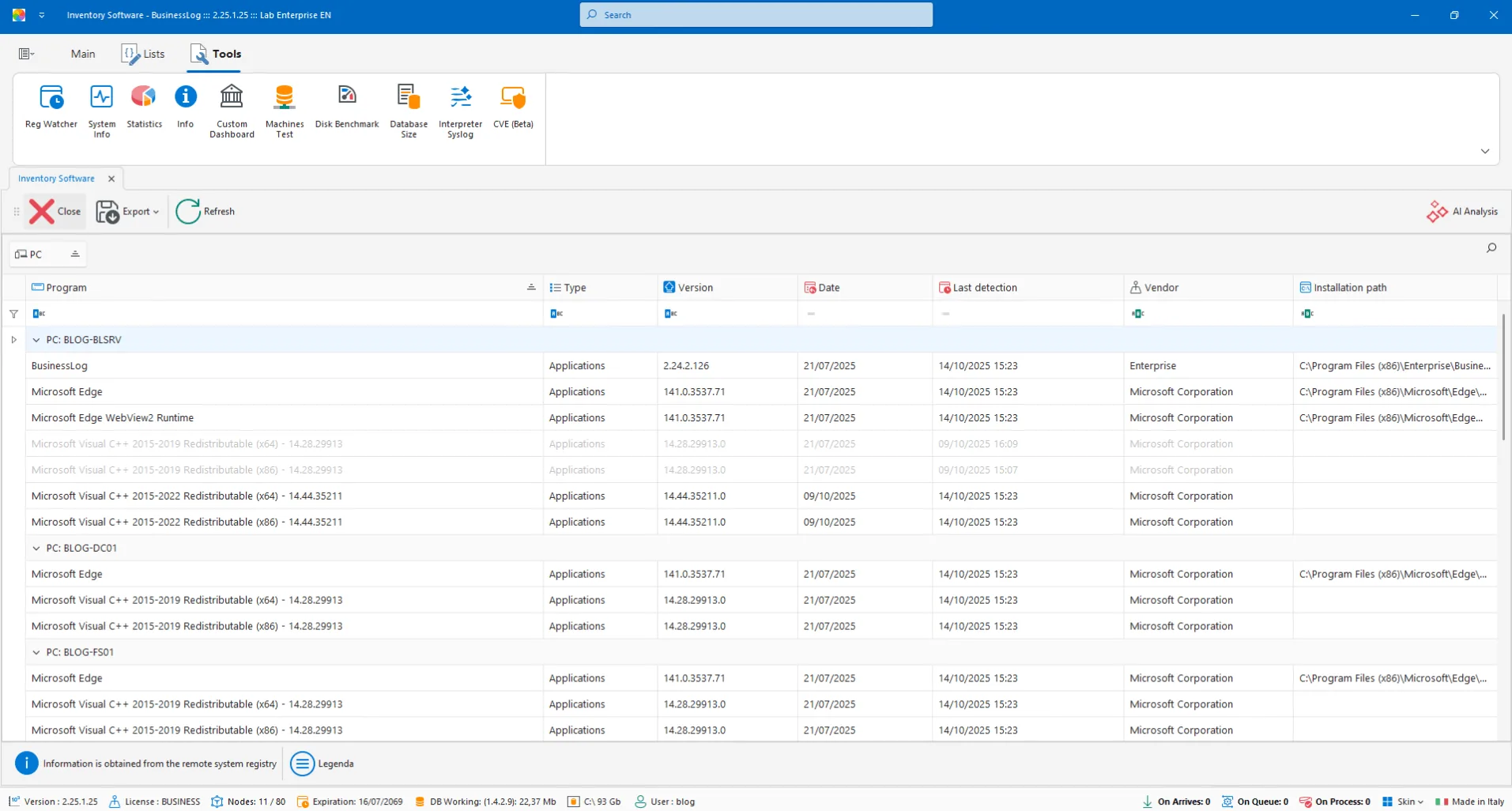
Software Inventory
Inventory of software installed on Windows machines, with version history for each program.
Software list by host
Version history by program
Visibility on changes and updates
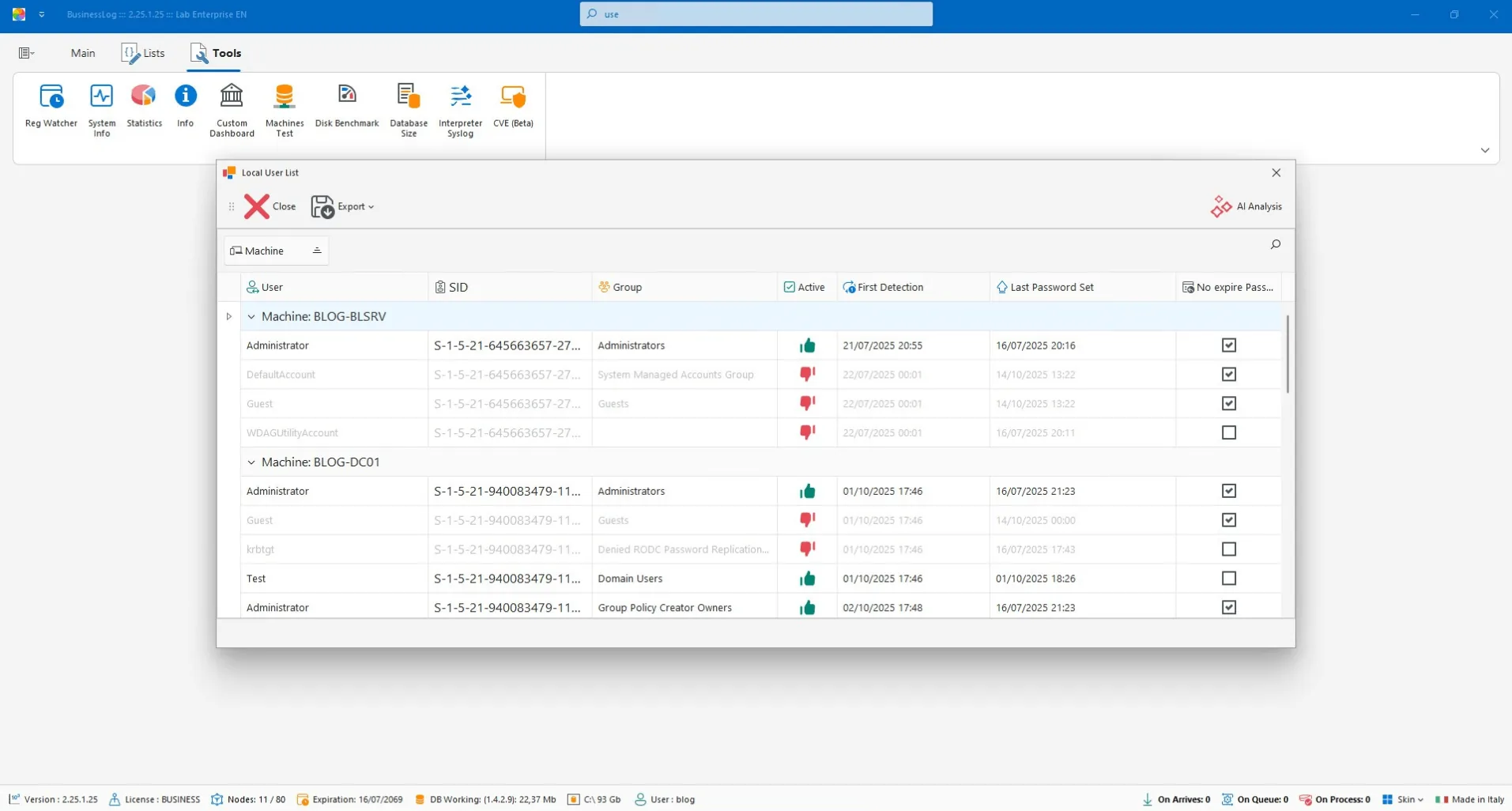
Local Users
Grid of detected local users with account status and information on passwords and expiration dates.
List of local users by host
Password status and policy
Expiration dates under control
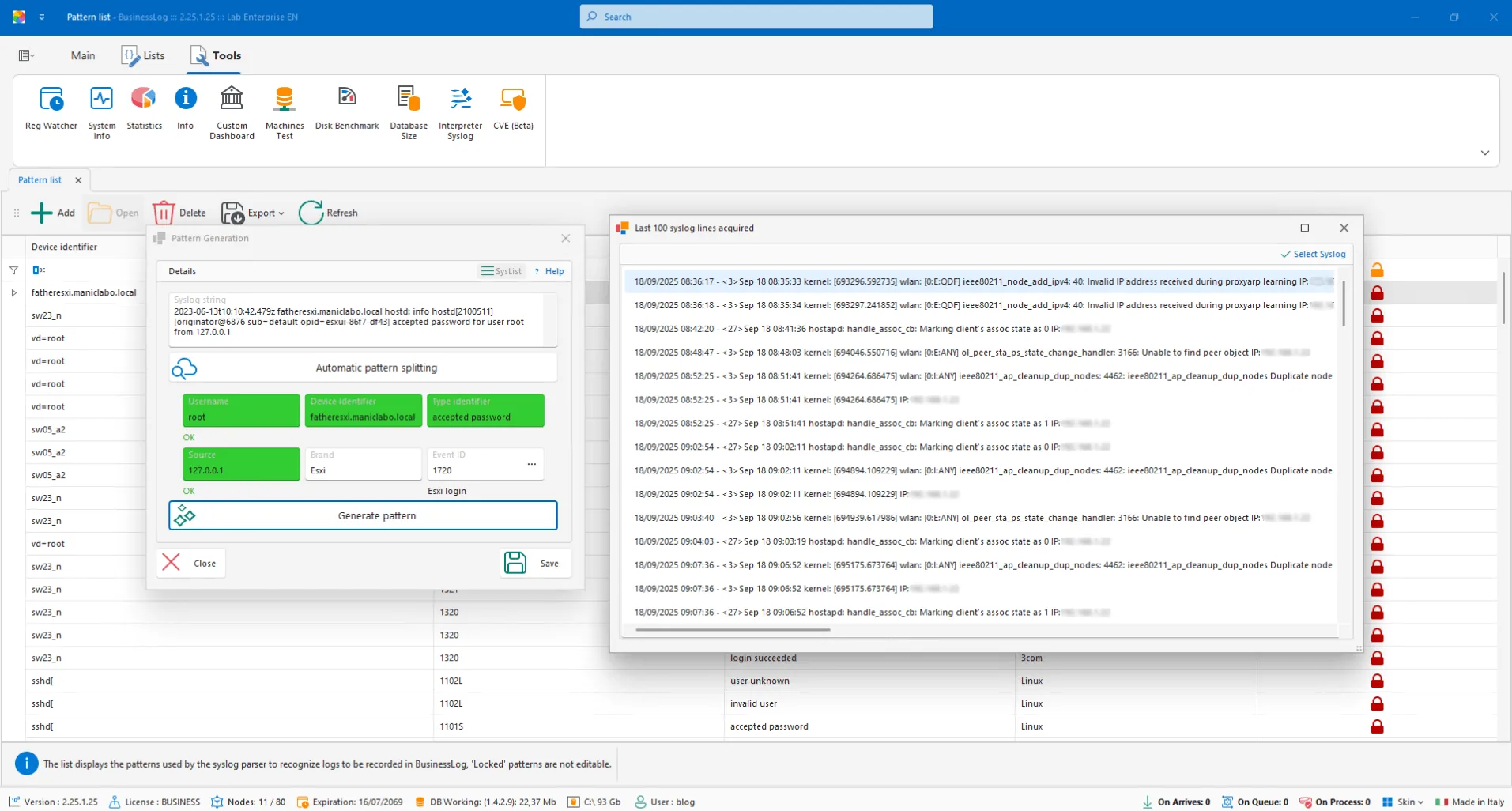
AI Syslog Parser
Define recognition patterns for syslog traces not present in the dataset, even for custom logs.
Custom patterns for syslog
Coverage of non-standard logs
Extension of the dataset
Request a quote now
Request a BusinessLOG quote parameterized to your organization's actual needs.
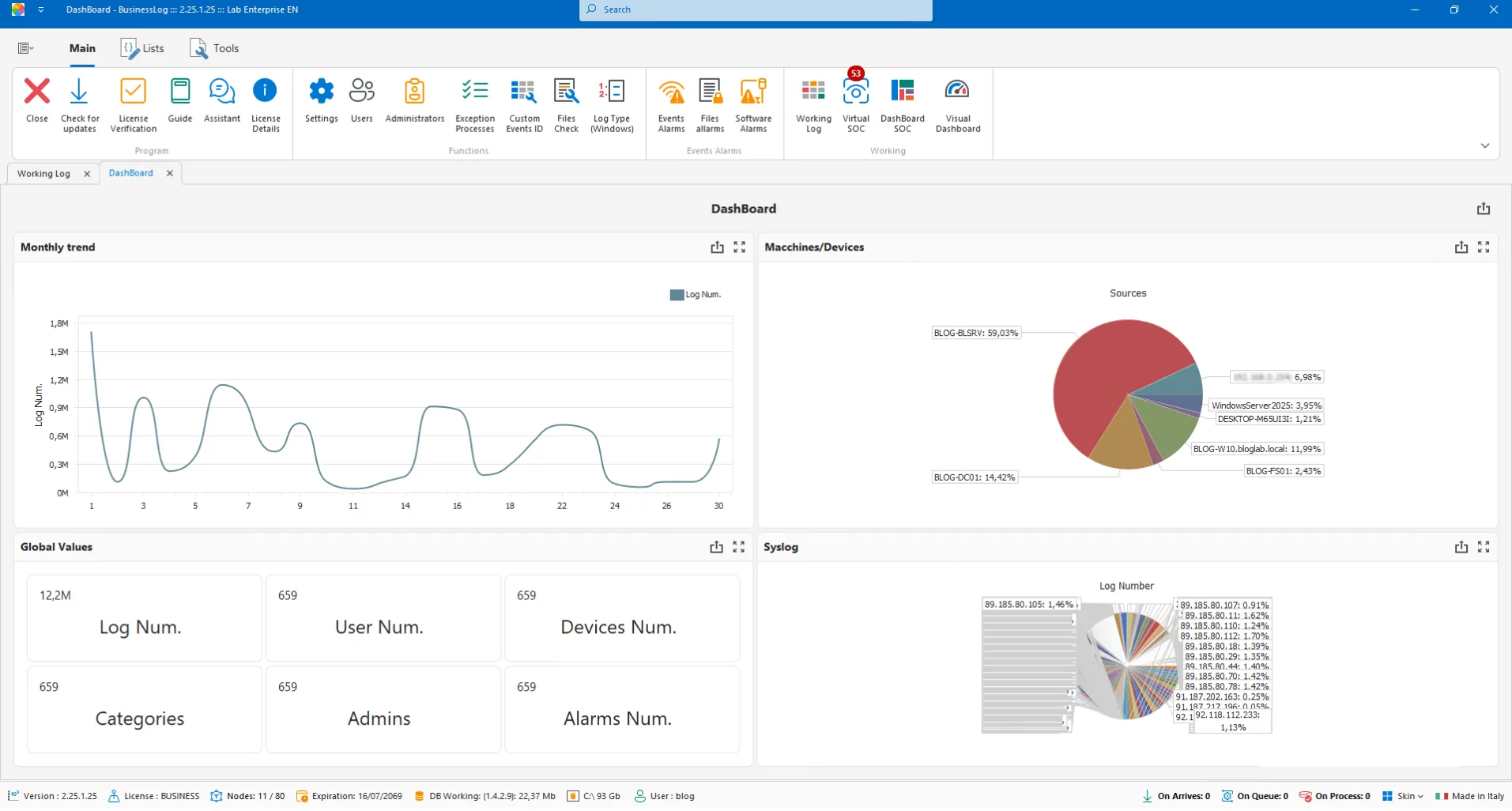
Datacenter Control Customization
Modular dashboard with grids, graphs, and indicators to create customized views of your datacenter.
Table, graph, and indicator widgets
Customized views by role
Focus on key indicators
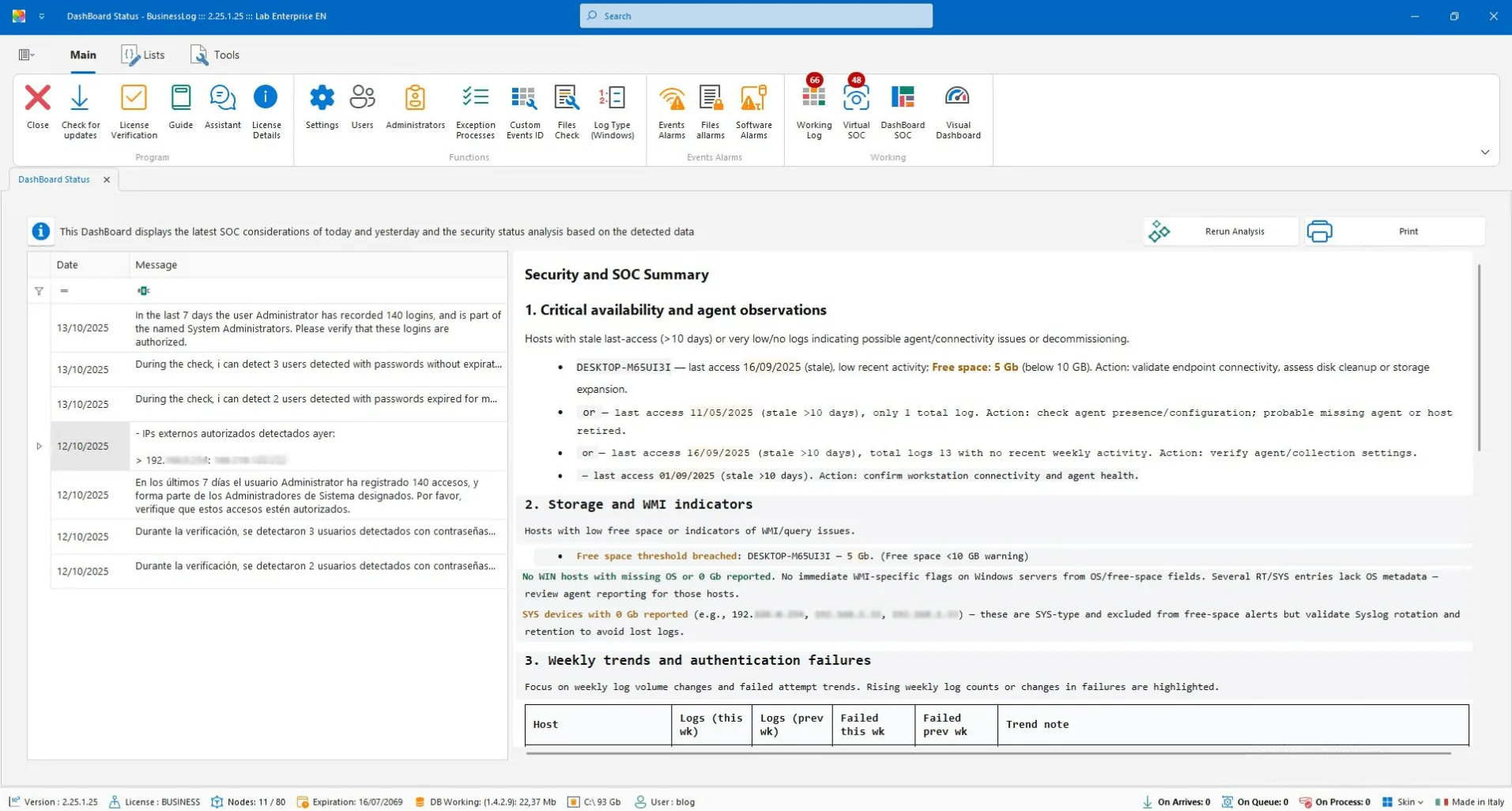
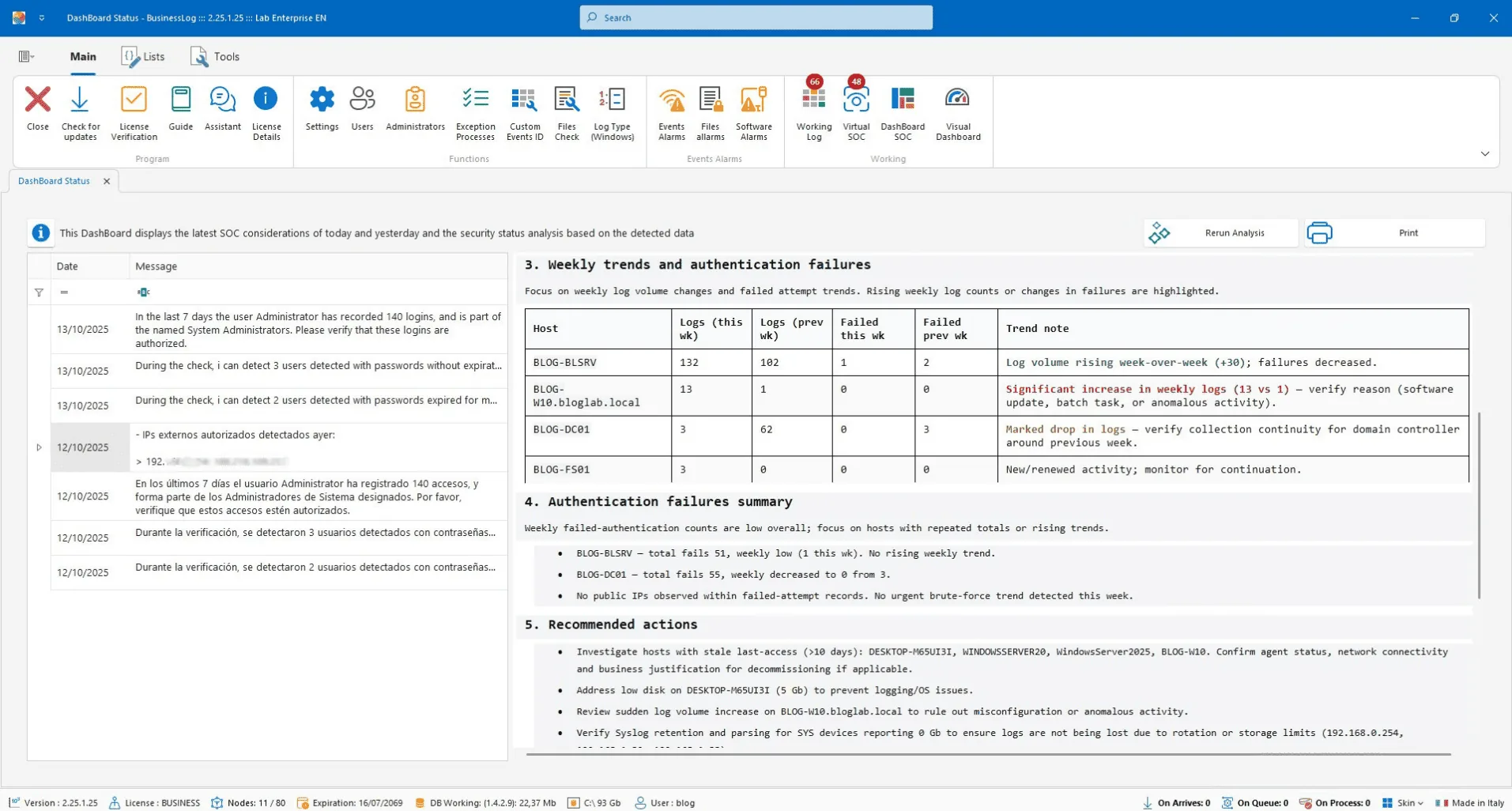
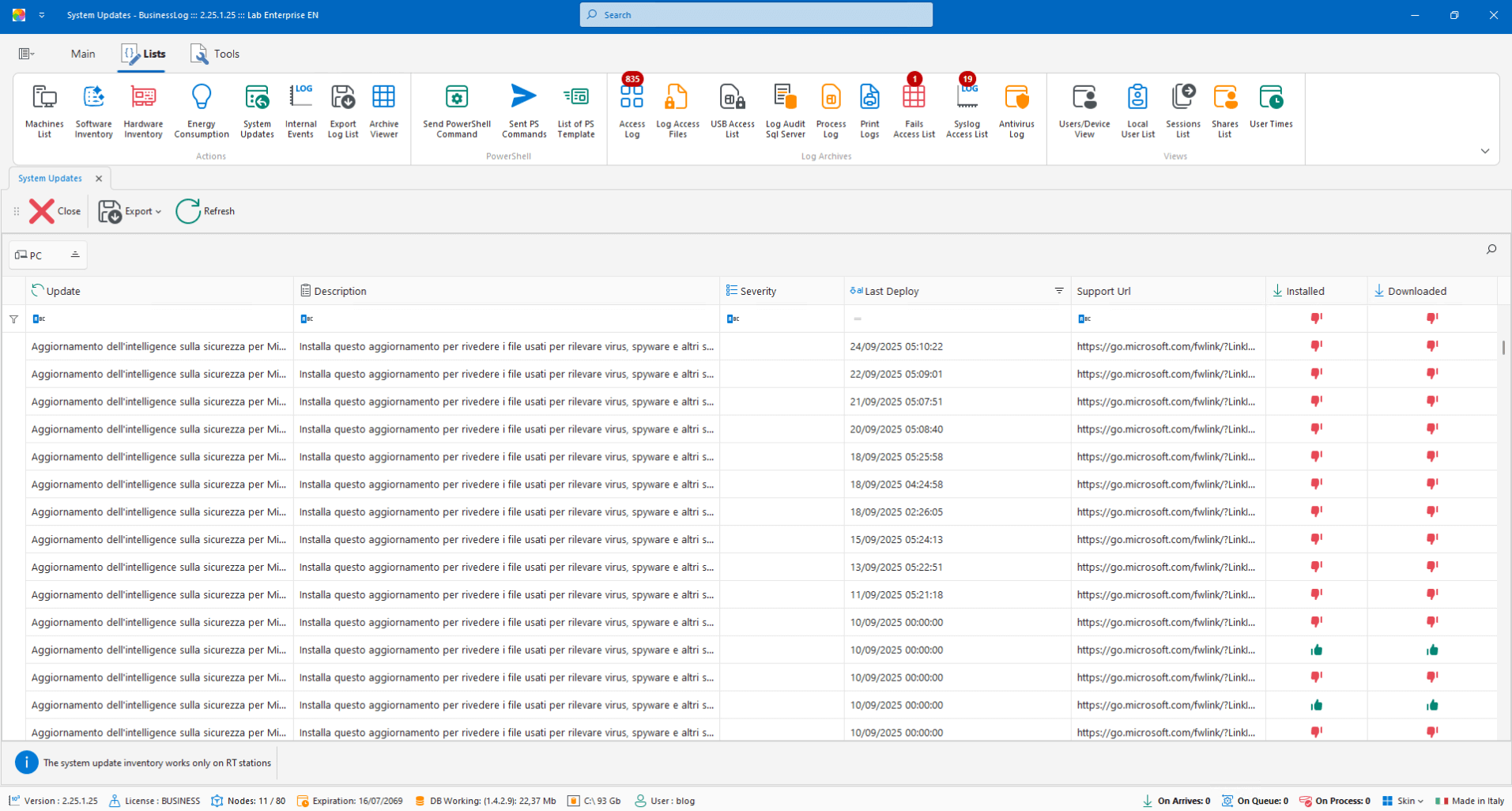
SOC (Virtual SOC)
Dashboard with recent VirtualSOC alerts and an AI report on machine status and SOC considerations.
List of most recent alerts
AI report on host status
SOC operational notes
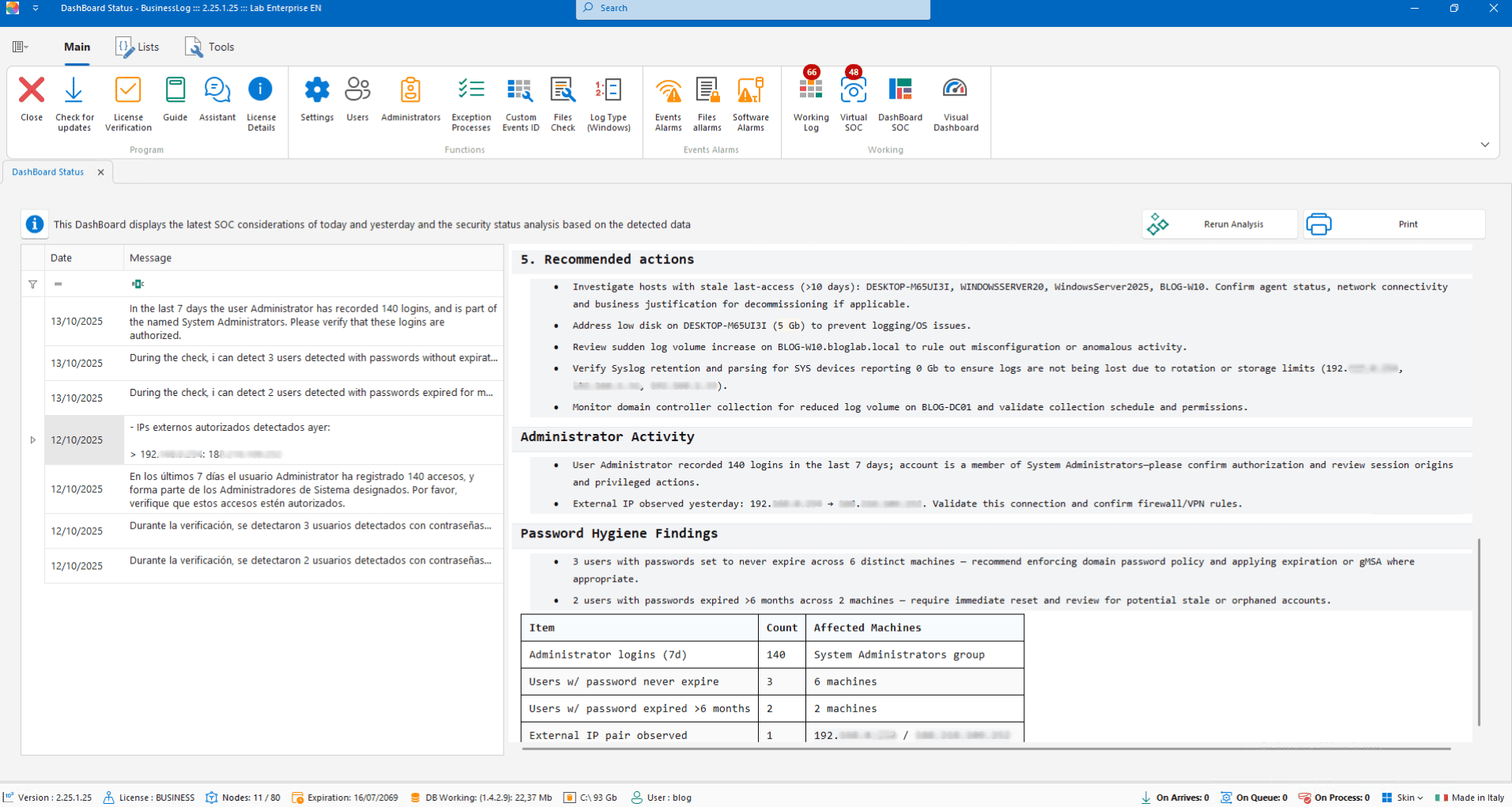
Statistics
Percentage charts of logs acquired from different perspectives for summary analysis.
Log acquisition percentages
Filters for multiple views
Quick insights
Request a quote now
Request a BusinessLOG quote parameterized to your organization's actual needs.
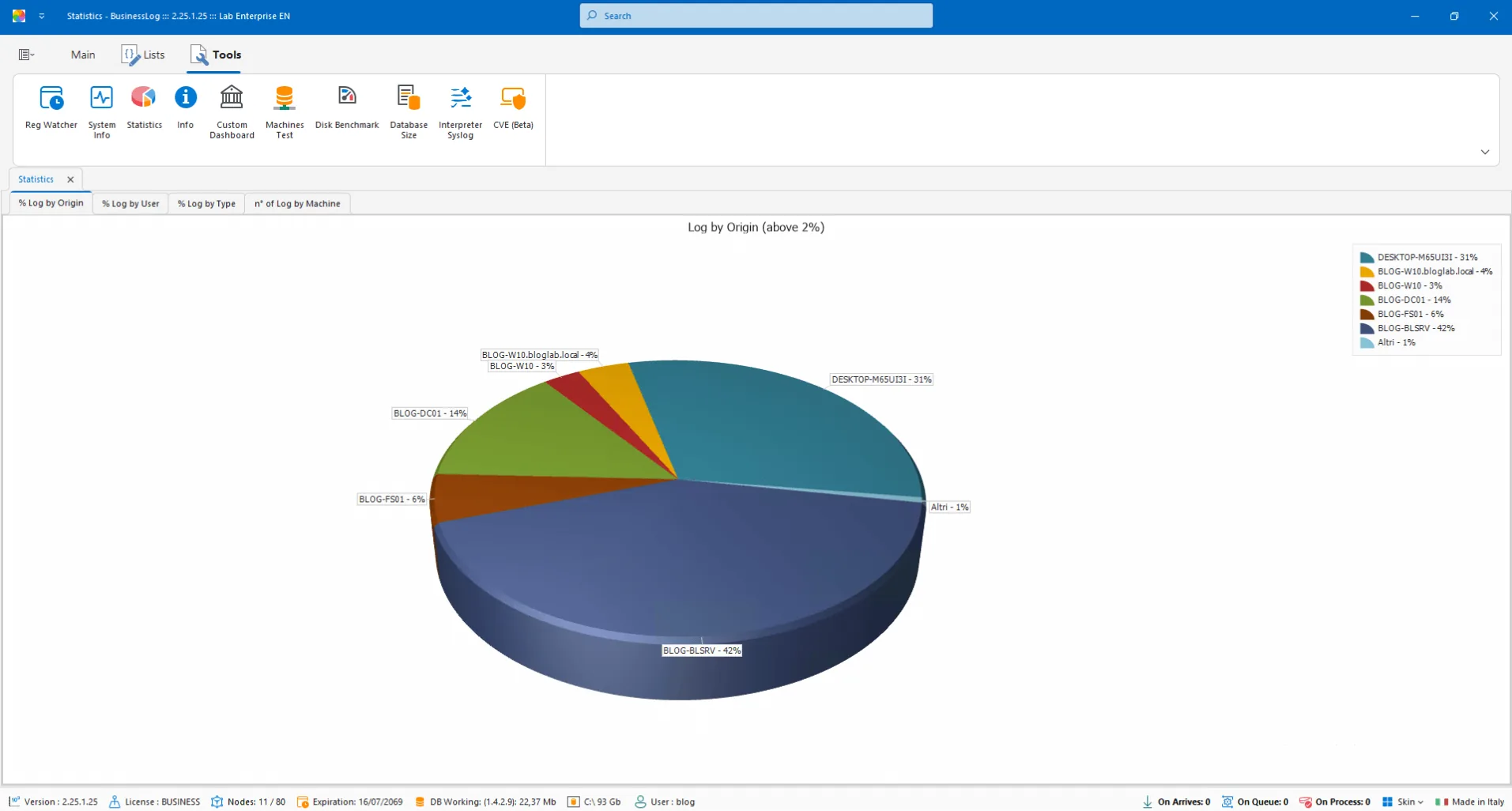
Network Structure
Automatically generates a graphical representation of the network based on the list of machines and their roles.
Topology generated from the host list
Machine roles considered
Immediate graphical view
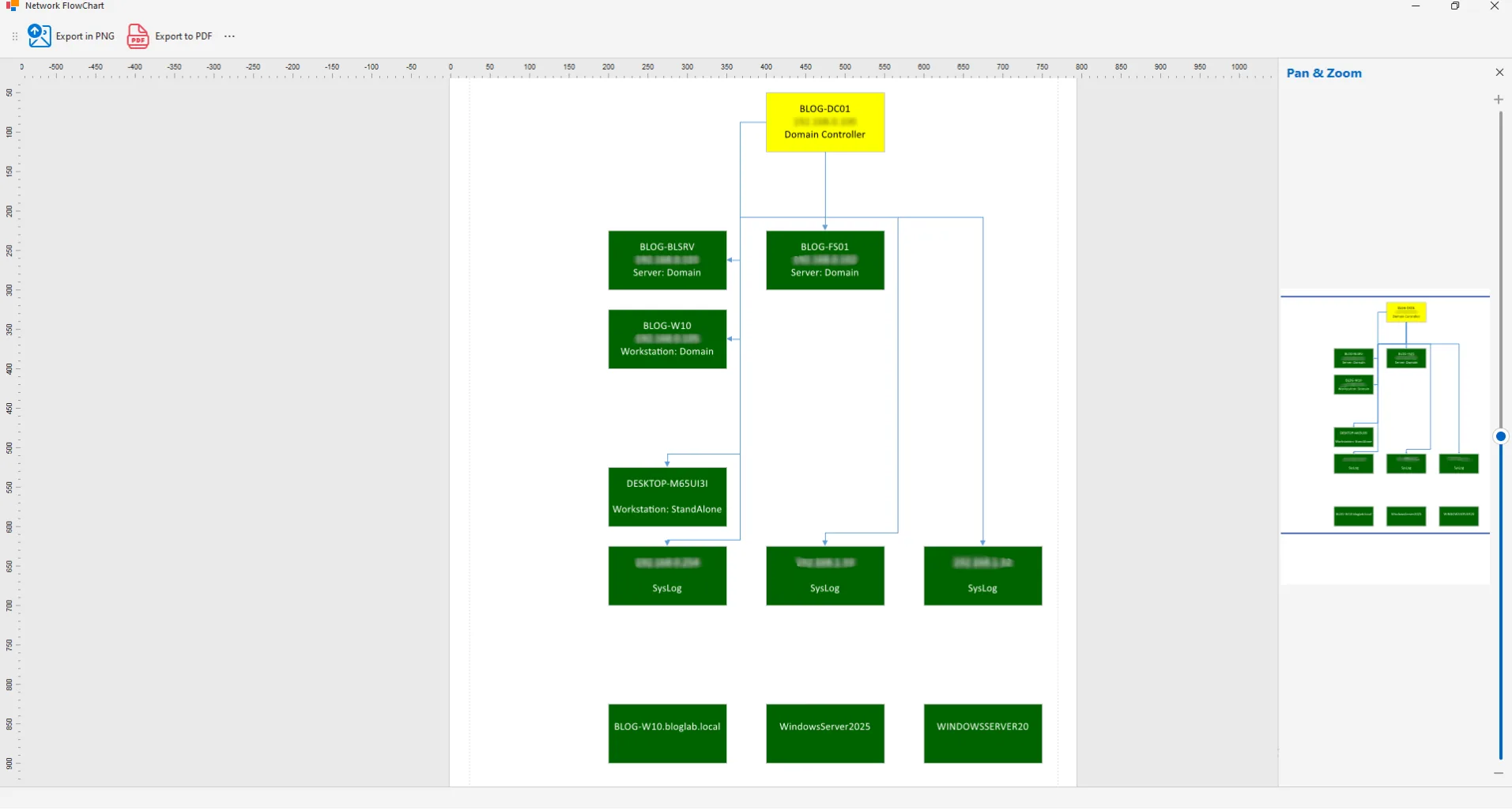
Windows Update
RT module plugin with a list of updates managed by Windows Update and related details.
List of updates per machine
Status and version details
Compliance checks
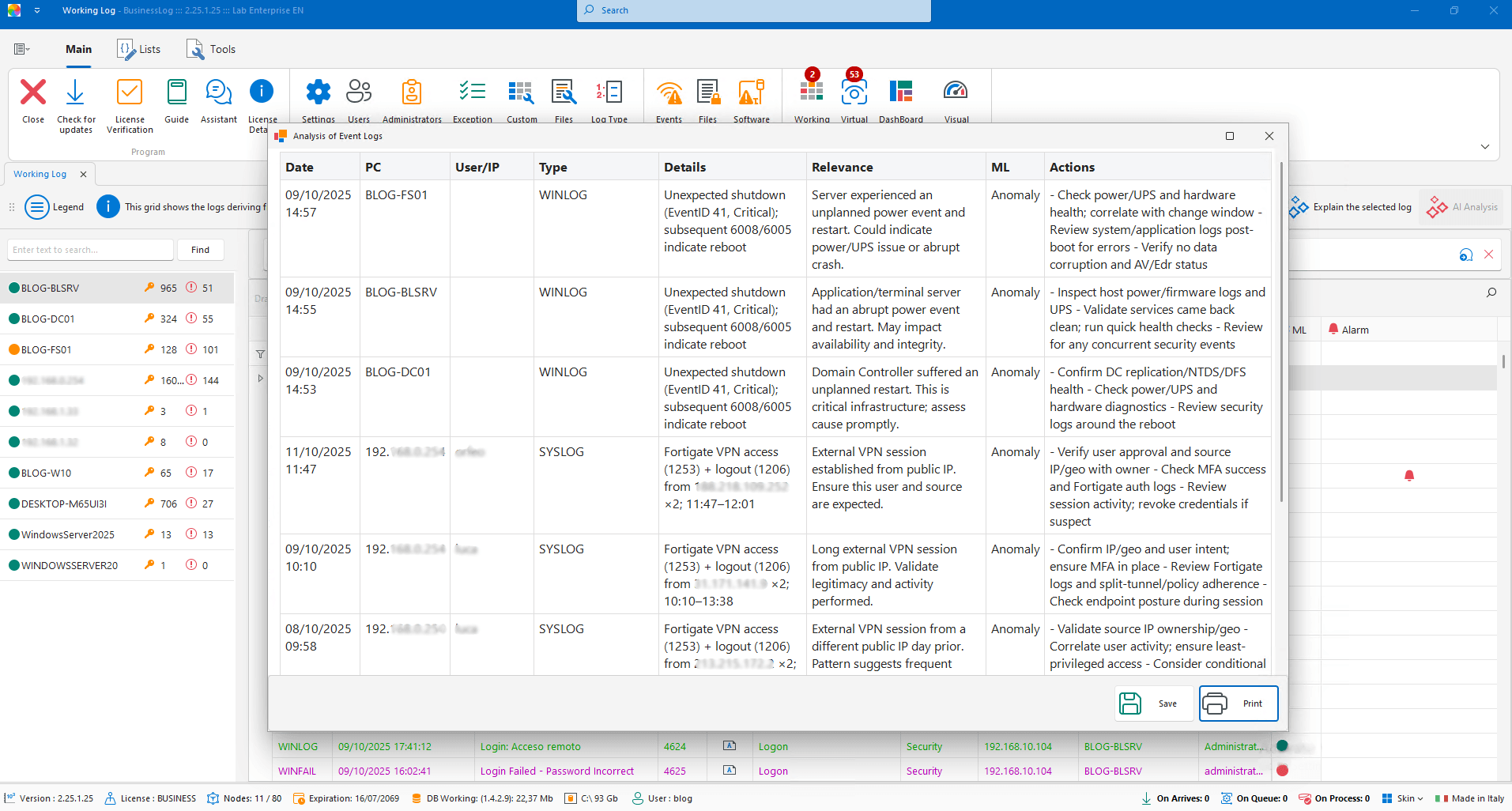
Working LOG and AI – Advanced Analysis
With a dedicated license, build specific reports for collections or groups of logs with timely observations generated by AI.
Reports on collections/groups of logs
Timely observations with AI
Action-oriented insights
Discover the new versions of
BusinessLOG
BusinessLOG One
Ideal for small businesses and professional firms.
The ideal solution for personal use, small studios and companies that want to monitor the security and access of individual PCs. Easy to install, includes IA, SOC dashboard, file control, USB, tracking and printing. Does not include remote scans, inventory, Powershell, RT, Azure and Syslog.
Easy and immediate installation
Artificial Intelligence and Security Operations Center (SOC)
Advanced alarms and monitoring on files, folders, USB and printers

BusinessLOG Auditor
Ideal for servers or small networks, expandable with RT Plugin and Syslog.
Designed for servers or small business networks, even without an Active Directory domain. Easy to install, it is ideal where you want to limit the configuration, using the RT agent. Includes AI, SOC dashboard, file control, USB, tracking, printing, Syslog and Azure support (licensed). Excludes remote scans and inventory.
Easy and immediate installation
Artificial Intelligence and Security Operations Center (SOC)
Advanced alarms and monitoring on files, folders, USB and printers
Acquisition from Syslog and Azure
Request a quote now
Request a BusinessLOG quote parameterized to your organization's actual needs.
Discover the new Plugin of
BusinessLOG
AI Plugin
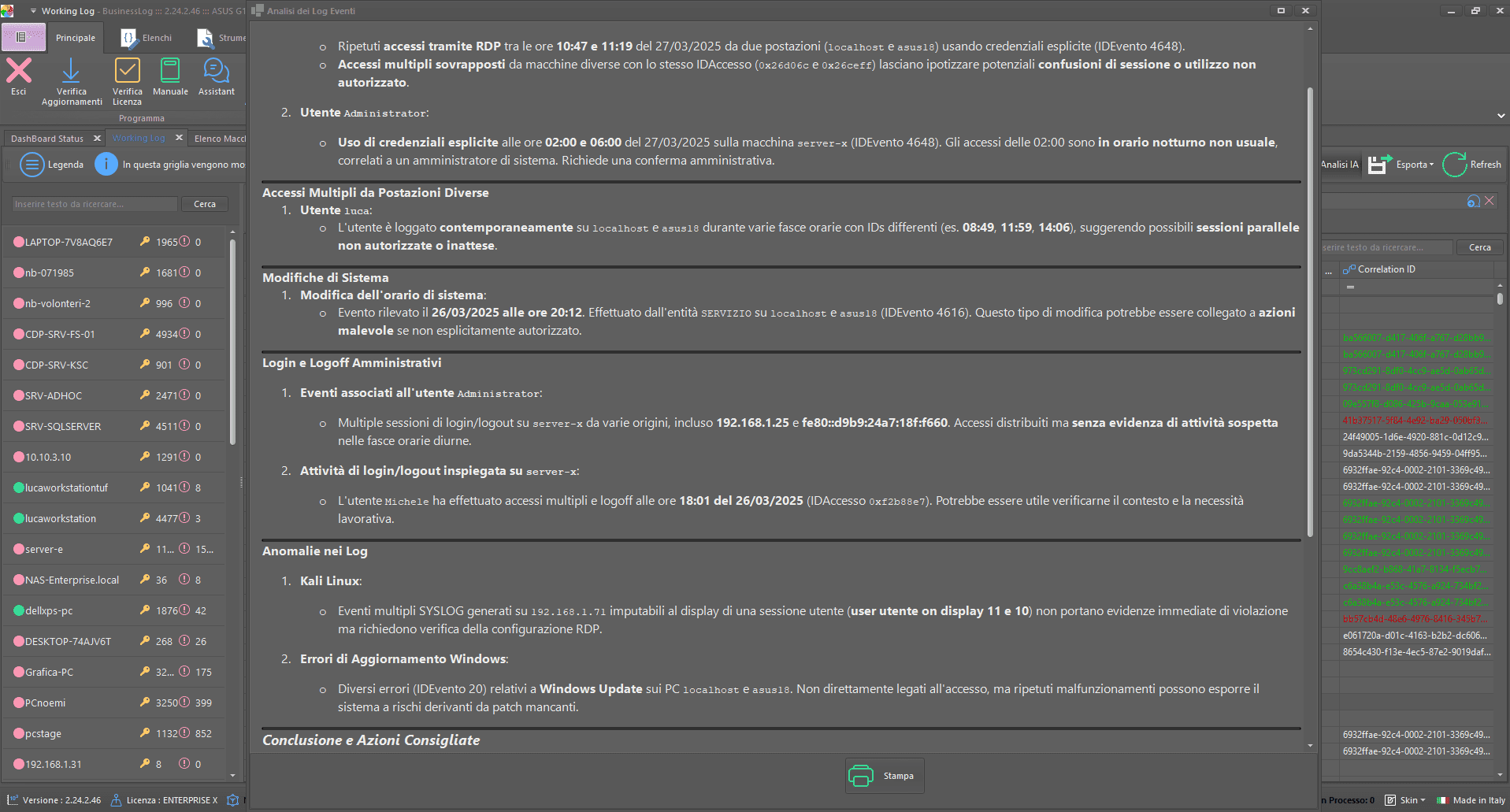
The AI Plugin brings artificial intelligence to the center of your IT security. Analyze log groups with the AI 2.0 engine and discover in a few moments the real organizational impact and security criticalities. A powerful tool to anticipate risks, make informed decisions and strengthen your protection strategy.
Energy 5.0 Plugin
With the Energy 5.0 Plugin you have full control over the power consumption of your devices. Thanks to the historical and real-time visualization, you can identify waste and optimize the use of resources. You can also activate smart controls to reduce energy impact, improve efficiency and contribute to business sustainability.
Request a quote now
Request a BusinessLOG quote parameterized to your organization's actual needs.
BusinessLOG integrates seamlessly with leading software on the market.
BusinessLOG offers seamless integration with leading software on the market, providing seamless log management. This extended compatibility allows data from different platforms and applications to be collected, analyzed and monitored, improving the organization's operational efficiency and IT security.

Receive real-time notification upon the occurrence of any custom event set by the user on the BusinessLOG Bot Telegram channel.
Integration is quick and easy to set up directly from the BusinessLOG Dashboard.
BusinessLOG collects logs from Teamviewer (remote assistance software).
Within the Suite, custom alarms can be configured for TeamViewer-related events.
BusinessLOG collects logs from Anydesk (remote assistance software).
Within the Suite, custom alarms can be configured for Anydesk-related events.
BusinessLOG collects logs from Supremo (remote assistance software).
Within the Suite, custom alarms can be configured for Supremo-related events.
Control Dashboard
BusinessLOG is characterized by a simple and intuitive graphical interface.
The Dashboard is the home screen where key metrics are displayed, selected directly by the user.Digitally signed logs
In BusinessLOG each Log is digitally signed with consistency check, so as to make the recorded logs immutable.
Using digitally signed logs facilitates compliance with various international regulations, such as GDPR, ISO 27001, and NIS2.Event management
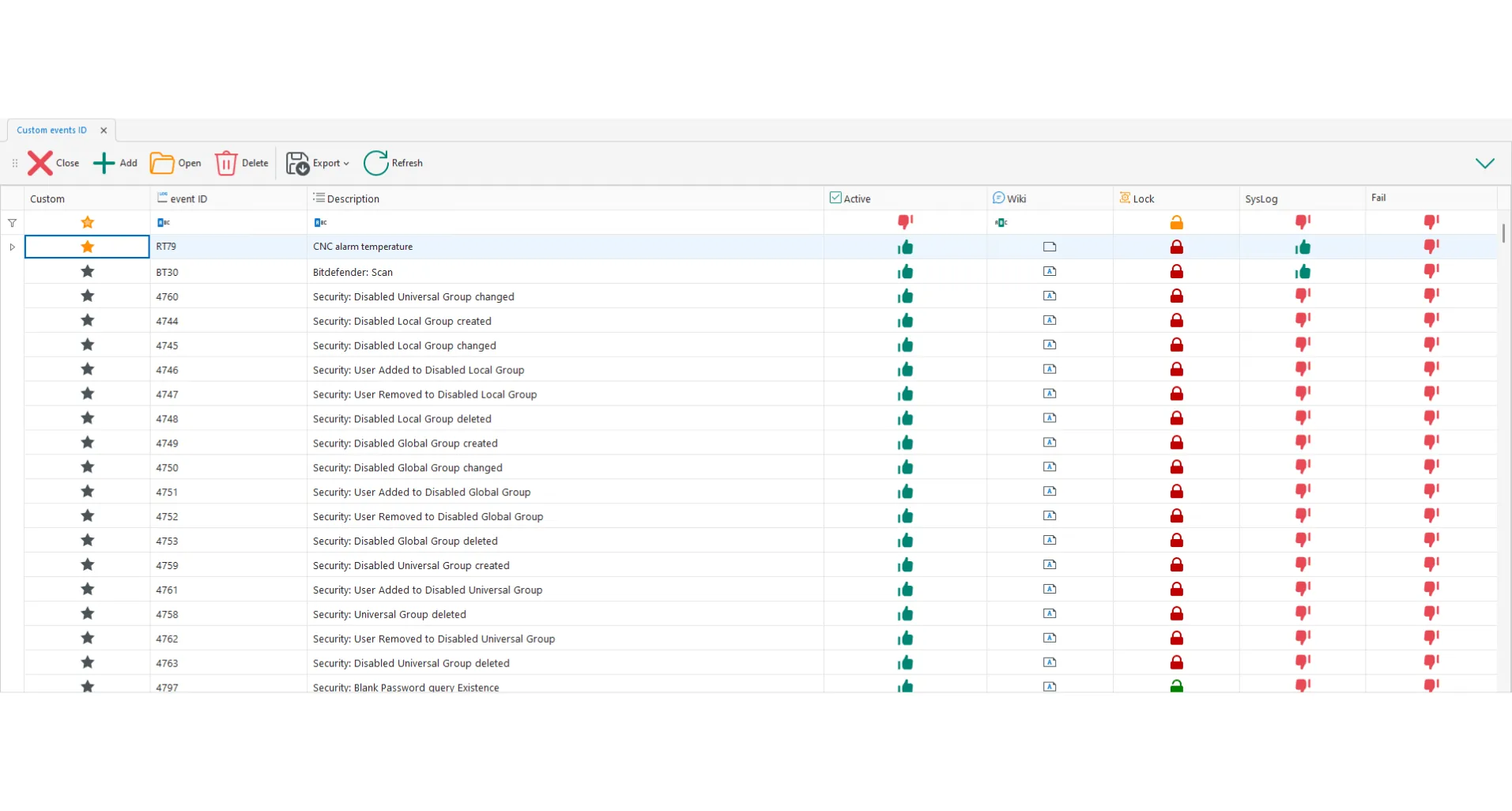
In BusinessLOG you can define and monitor the internal network events, with the possibility to create custom events according to the specific needs of the organization.File activity
A dedicated table is available within the Suite to monitor operations on files (open, delete, and copy) in a given network folder.Syslog Access Logs
BusinessLOG natively guarantees maximum compatibility even for non-Windows systems thanks to the Syslog collector that allows logs to be collected from all major operating systems and all compatible Syslog devices.Process logs
BusinessLOG makes it possible to monitor, in a special grid and in agent-less mode, all processes initiated by all users on the corporate network.SQL log audits
Through SQL Log, BusinessLOG can record all activities performed in all SQL databases (events recorded at the database or table level and events on individual records).Advanced statistics
Statistics provide insight into, for example, trends in the number of Logins, Fails, machines with active alarms, and operations on Files and USB devices, broken down by user.Telegram integration
Receive real-time notification upon the occurrence of any custom event set by the user on the BusinessLOG Bot Telegram channel.
Available versions of BusinessLOG Server
Discover all the available versions of BusinessLOG Server.
- New
BusinessLOG One
Record logs from 1 PC + Audit from the Fileserver.
- New
BusinessLOG Auditor
Record logs from 1 PC + up to 20 nodes with RT agent.
BusinessLOG Plus
Records from 1 to 39 nodes (machines/devices).
BusinessLOG Enterprise80
Records from 40 to 80 nodes (machines/devices).
BusinessLOG Enterprise150
Records from 81 to 150 nodes (machines/devices).
BusinessLOG Enterprise250
Records from 151 to 250 nodes (machines/devices).
BusinessLOG Enterprise500
Records from 251 to 500 nodes (machines/devices).
BusinessLOG Enterprise750
Records from 501 to 750 nodes (machines/devices).
BusinessLOG Enterprise1000
Records from 751 to 1000 nodes (machines/devices).
BusinessLOG EnterpriseX
Unlimited nodes (machines/devices) and all plugins included.
BusinessLOG Data Center
Multi-tenant version for managing multiple BusinessLOG licenses.
Available plugins of BusinessLOG Server
Learn about all available BusinessLOG Server plugins.
- New
AI Plugin
Through the AI Plugin it is possible to submit a set of logs for automated analysis, exploiting the potential of the AI 2.0 engine. The system returns a real-time report on the organizational impact and the main safety findings, allowing a timely and effective evaluation of the detected criticalities.
- New
Energy 5.0 Plugin
Using the Energy 5.0 Plugin you can monitor and log the device’s energy consumption, accessing detailed data through a dedicated interface. The plugin also allows the setting of commands to optimize the operation and reduce the energy impact of the device, favoring a more sustainable management of IT resources.
SOC Stream Plugin
Through the SOC Stream Plugin, information collected by the SOC (installed on-premise) can be accessed on a dedicated Web site, thus ensuring a complete, always available, real-time view of security and compliance activities.
Windows Updates Plugin
Controlled machines will receive, in a special list, all listed, downloaded and installed Windows Update updates. In addition to updates, all HotFixes applied will also be reported.
Azure Plugin
Through the Azure Plugin it is possible to log access logs from Azure Accounts. The Plugin also allows you to receive logs from Microsoft 365 (you must have an E5 license to get SharePoint logs).
Printers Plugin
The Printers Plugin allows you to monitor all the printers within the corporate network and to be able to consult, in the appropriate table, all the print orders executed.
RT (Real Time) Plugin
The Plugin enables real-time dialog with the central server, regardless of domain. Example: log collection from off-domain Windows machines and in real-time.
Backup Logs in Cloud Plugin
The Log Backup Plugin in Cloud allows you to export logs to a private cloud storage (available via web in Microsoft Azure or through dedicated application).
USB Plugin
The USB and Removable Disk Plugin allows you to monitor the insertions, readings and writes of removable disks (USB sticks, external disks or SD/microSD).
AS400 Plugin
The As400 Plugin allows you to collect and integrate logs generated by IBM As400 machines directly into BusinessLOG.
SQL Plugin
The SQL Plugin allows to acquire logs from the advanced audit of SQL server and get information about queries in use in database tables.
Minimum requirements
Find out the minimum requirements for BusinessLOG Server versions.
BusinessLOG One, Auditor and Plus
Up to 39 nodes.
Intel or AMD CPU of i5 class or higher (at least 4 vCore per VM). 8 Gb of RAM (12 Gb recommended). - At least 100 GB of free space for databases and archives.
.NET 9.0 (included, however, in the setup). It is required to use SSD or M2 disks or, in case of a Virtual Machine, the Paravirtual disk controller. Operating Systems: Windows 10, Windows 11, Windows Server 2016, Windows Server 2019, Windows Server 2022, Windows Server 2025.
BusinessLOG Enterprise
Over 40 nodes.
Intel or AMD CPU of i7 class or higher (at least 6 vCore per VM). 12 Gb of RAM (16 Gb recommended). At least 100 GB of free space for databases and archives. .NET 9.0 (included, however, in the setup). It is required to use SSD or M2 disks or, in case of a Virtual Machine, the Paravirtual disk controller. Operating Systems: Windows 10, Windows 11, Windows Server 2016, Windows Server 2019, Windows Server 2022, Windows Server 2025.
Find the right version of BusinessLOG
Find the correct version of BusinessLOG for your needs.
Feature comparison
BusinessLOG One
Record logs from 1 PC + Audit from the Fileserver.
Main functions
- Managed nodes
- 1
- Software inventory
- Yes
- Hardware inventory
- Yes
- Alarms with AI
- Yes
- Audit File
- Yes
- SOC
- Yes
- Syslog collection
- No
- Remote PowerShell
- No
Available Plugins
- RT Plugin
- No
- Azure Plugin
- No
- AI Plugin
- Yes
- Backup Log in Cloud Plugin
- No
- Energy 5.0 Plugin
- No
- SOC Stream Plugin
- No
- SQL Plugin
- No
- Printers Plugin
- Yes
- USB Plugin
- Yes
- Windows Updates Plugin
- No
- AS400 Plugin
- No
BusinessLOG Auditor
Record logs from 1 PC + up to 20 nodes with RT agent.
Main functions
- Managed nodes
- 1 + max 20 with RT
- Software inventory
- Yes
- Hardware inventory
- Yes
- Alarms with AI
- Yes
- Audit File
- Yes
- SOC
- Yes
- Syslog collection
- Yes
- Remote PowerShell
- No
Available Plugins
- RT Plugin
- Yes
- Azure Plugin
- Yes
- AI Plugin
- Yes
- Backup Log in Cloud Plugin
- Yes
- Energy 5.0 Plugin
- No
- SOC Stream Plugin
- No
- SQL Plugin
- No
- Printers Plugin
- Yes
- USB Plugin
- Yes
- Windows Updates Plugin
- Yes
- AS400 Plugin
- No
BusinessLOG Plus
Records from 1 to 39 nodes (machines/devices).
Main functions
- Managed nodes
- 1 - 39
- Software inventory
- Yes
- Hardware inventory
- Yes
- Alarms with AI
- Yes
- Audit File
- Yes
- SOC
- Yes
- Syslog collection
- Yes
- Remote PowerShell
- Yes
Available Plugins
- RT Plugin
- Yes
- Azure Plugin
- Yes
- AI Plugin
- Yes
- Backup Log in Cloud Plugin
- Yes
- Energy 5.0 Plugin
- Yes
- SOC Stream Plugin
- Yes
- SQL Plugin
- Yes
- Printers Plugin
- Yes
- USB Plugin
- Yes
- Windows Updates Plugin
- Yes
- AS400 Plugin
- Yes
BusinessLOG Enterprise
Records from 40 to 5,000 nodes (machines/devices).
Main functions
- Managed nodes
- 40 - 5.000
- Software inventory
- Yes
- Hardware inventory
- Yes
- Alarms with AI
- Yes
- Audit File
- Yes
- SOC
- Yes
- Syslog collection
- Yes
- Remote PowerShell
- Yes
Available Plugins
- RT Plugin
- Yes
- Azure Plugin
- Yes
- AI Plugin
- Yes
- Backup Log in Cloud Plugin
- Yes
- Energy 5.0 Plugin
- Yes
- SOC Stream Plugin
- Yes
- SQL Plugin
- Yes
- Printers Plugin
- Yes
- USB Plugin
- Yes
- Windows Updates Plugin
- Yes
- AS400 Plugin
- Yes
Feature comparison
Main functions
| Feature | Starter tier | Scale tier | Growth tier | Growth tier |
|---|---|---|---|---|
| Managed nodes | 1 | 1 + max 20 with RT | 1 - 39 | 40 - 5.000 |
| Software inventory | Yes | Yes | Yes | Yes |
| Hardware inventory | Yes | Yes | Yes | Yes |
| Alarms with AI | Yes | Yes | Yes | Yes |
| Audit File | Yes | Yes | Yes | Yes |
| SOC | Yes | Yes | Yes | Yes |
| Syslog collection | No | Yes | Yes | Yes |
| Remote PowerShell | No | No | Yes | Yes |
Available Plugins
| Feature | Starter tier | Scale tier | Growth tier | |
|---|---|---|---|---|
| RT Plugin | No | Yes | Yes | Yes |
| Azure Plugin | No | Yes | Yes | Yes |
| AI Plugin | Yes | Yes | Yes | Yes |
| Backup Log in Cloud Plugin | No | Yes | Yes | Yes |
| Energy 5.0 Plugin | No | No | Yes | Yes |
| SOC Stream Plugin | No | No | Yes | Yes |
| SQL Plugin | No | No | Yes | Yes |
| Printers Plugin | Yes | Yes | Yes | Yes |
| USB Plugin | Yes | Yes | Yes | Yes |
| Windows Updates Plugin | No | Yes | Yes | Yes |
| AS400 Plugin | No | No | Yes | Yes |







Frequently asked questions
Find out all the key answers about BusinessLOG Server.
Request a BusinessLOG Quote
Are you interested in the Suite? Request a BusinessLOG quote now to evaluate the opportunity for your organization